How to Transform Black and White Images into Full Color with AI?
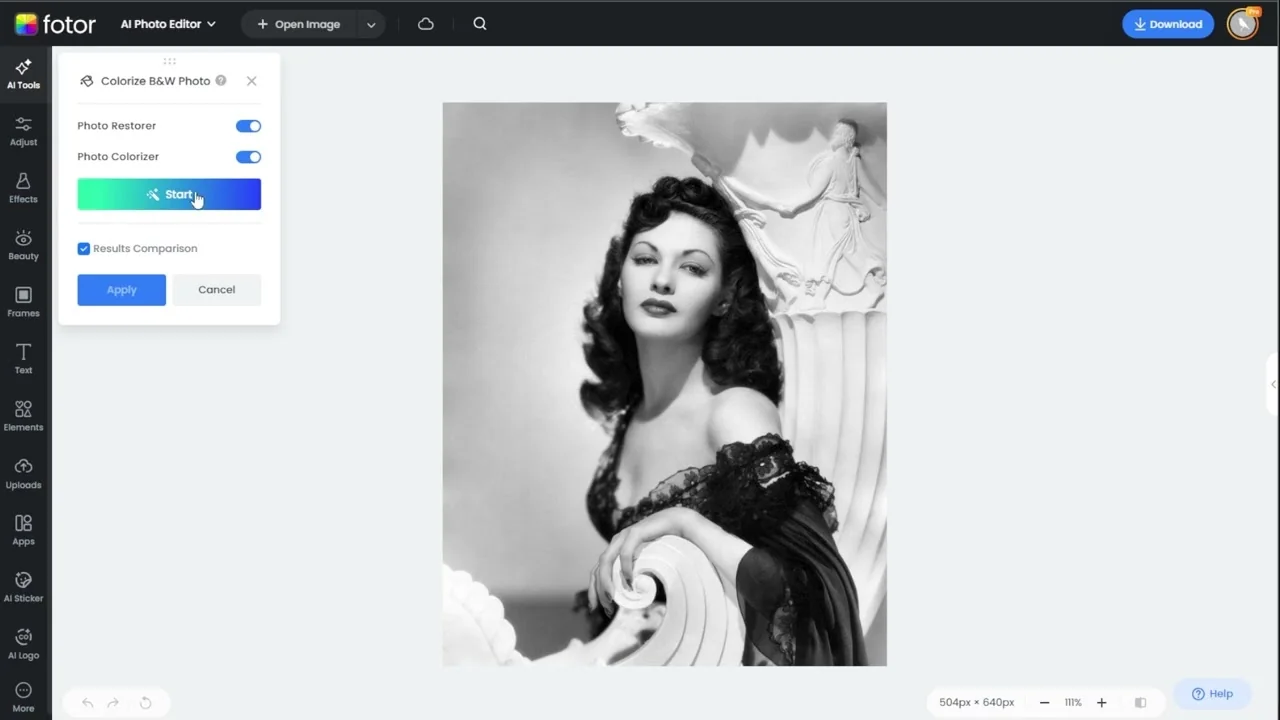
Old black and white photos hold deep emotional value, but they can sometimes feel distant or faded with time. Colorizing them breathes new life into these memories, making them feel more real, relatable, and vibrant. With Photos AI photo editor, you can turn vintage black and white images into beautifully colorized photos in just a few clicks.
Features
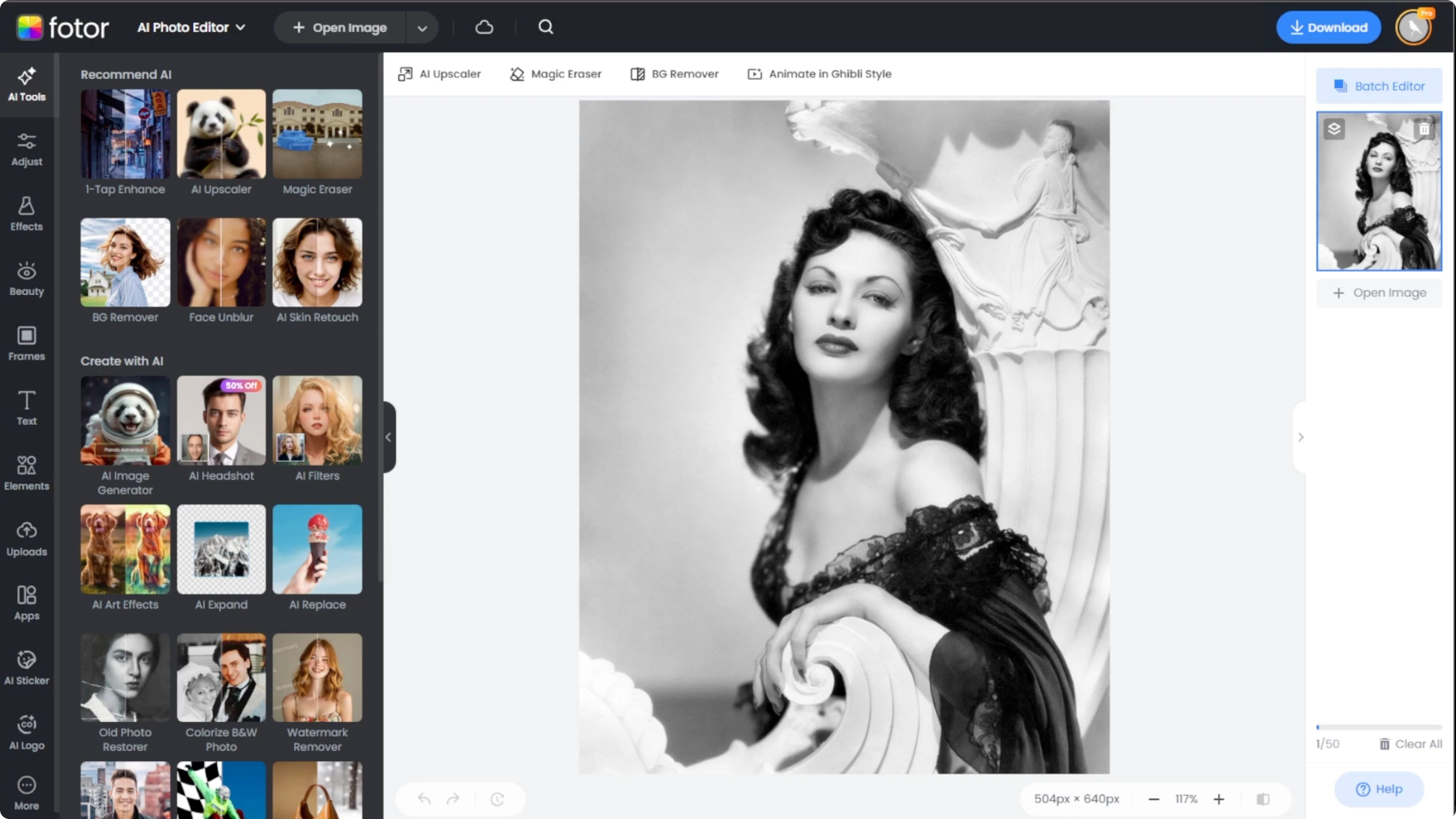
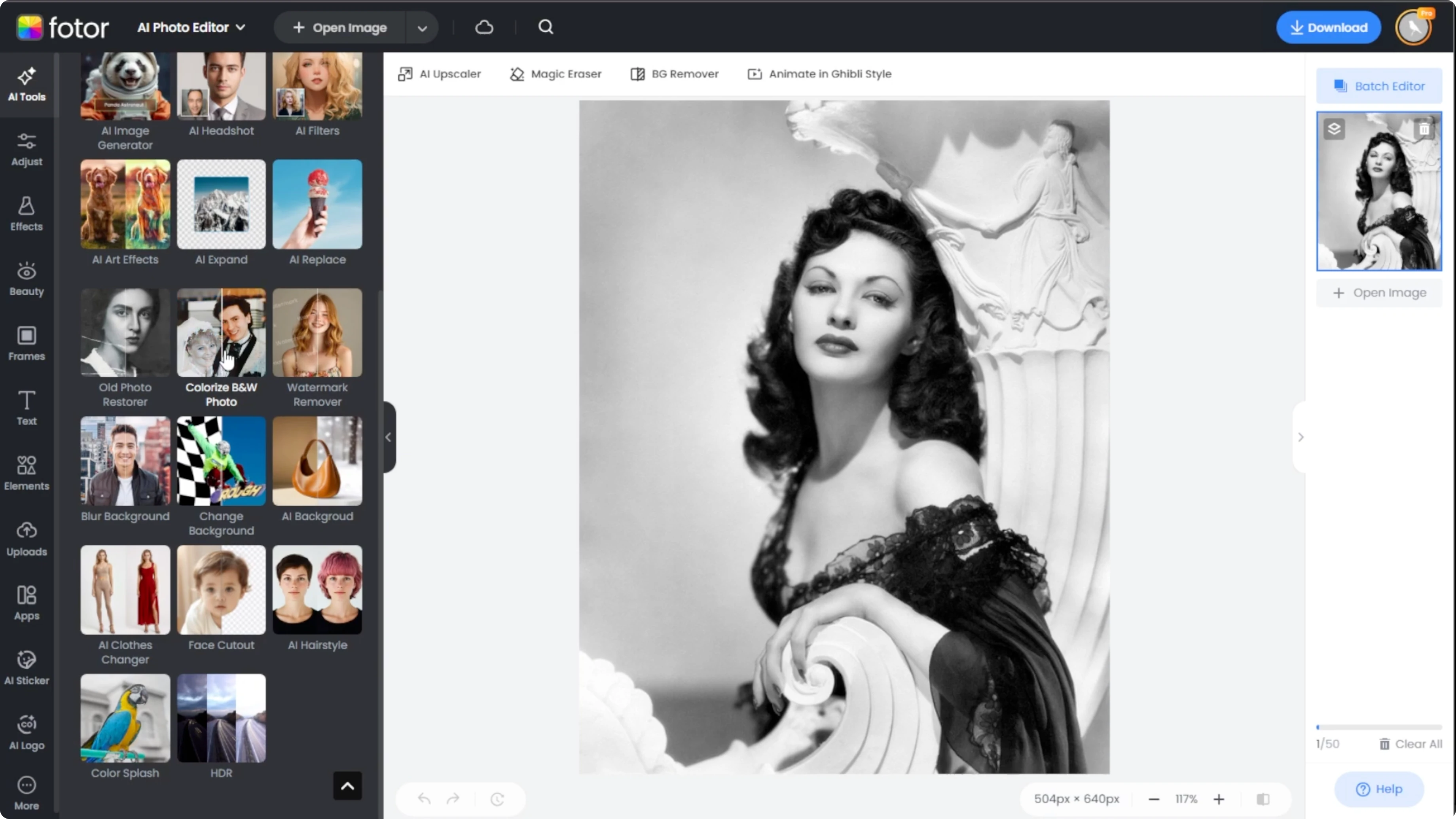
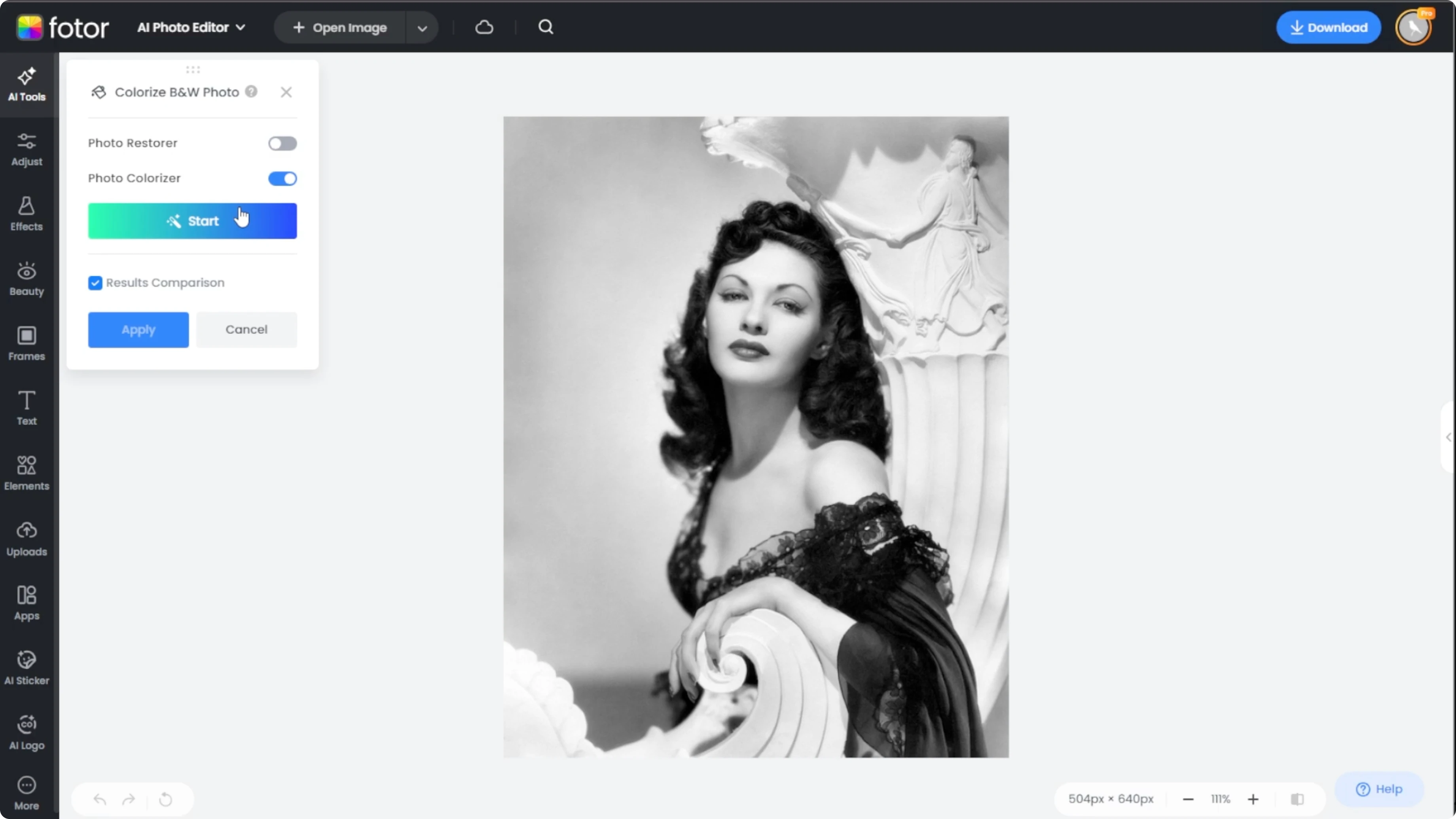
Open the Photos AI photo editor to begin. On the left side panel, go to the AI tools tab and open the Colorize black and white photo panel.
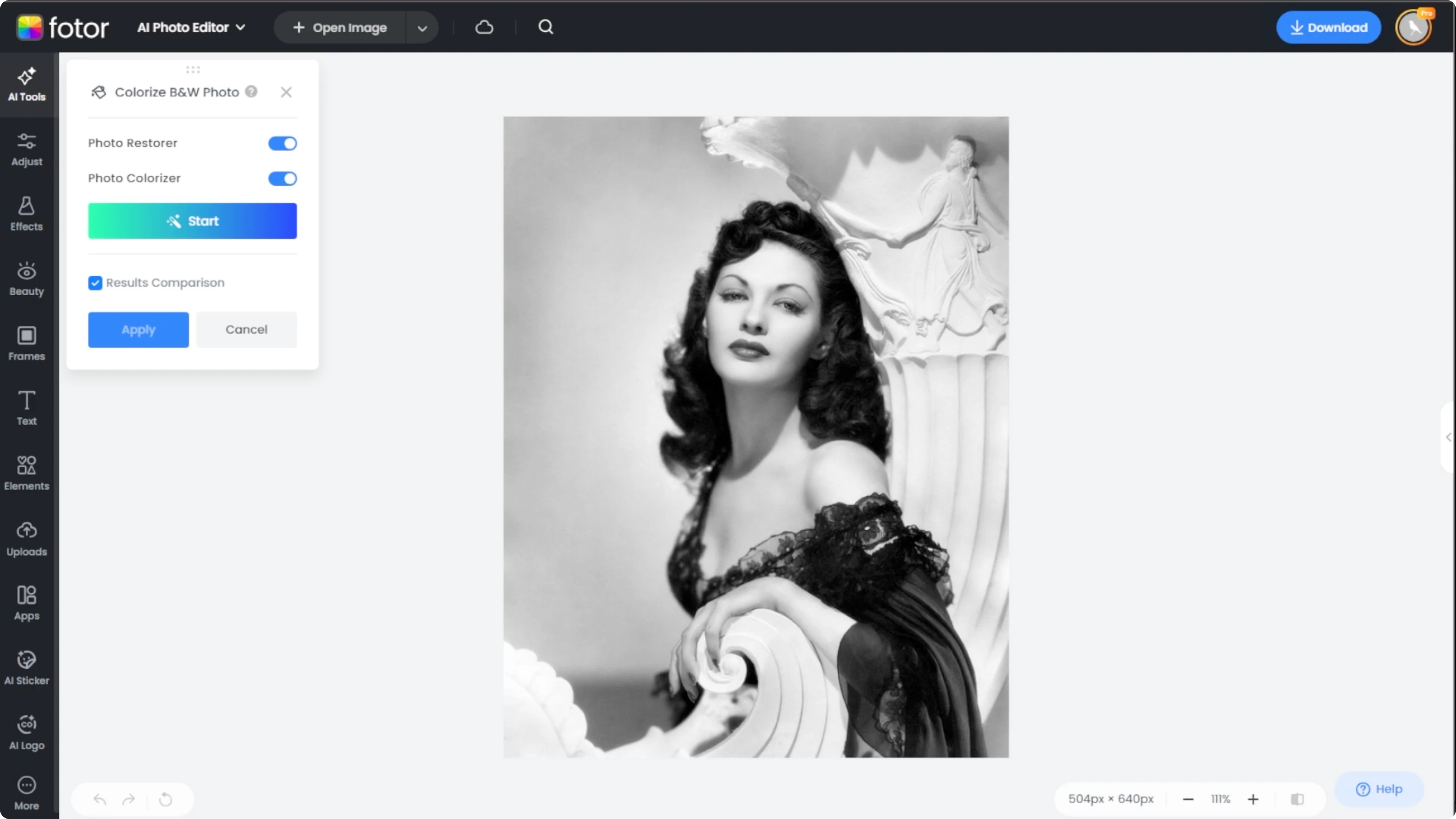
The colorize panel offers two features. Photo restore helps clean up and sharpen faded or damaged images. Photo colorizer adds realistic color tones to your black and white image.
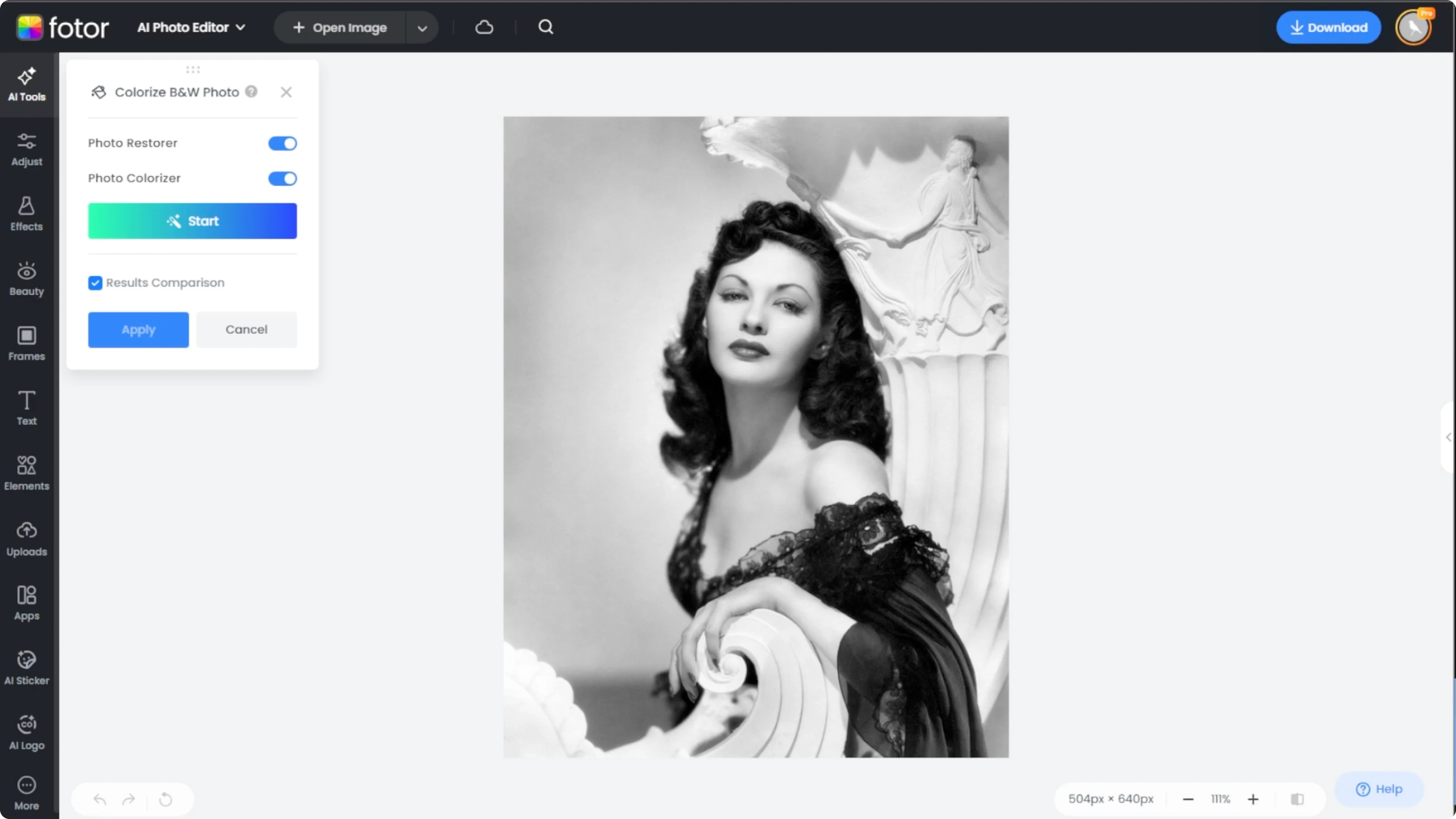
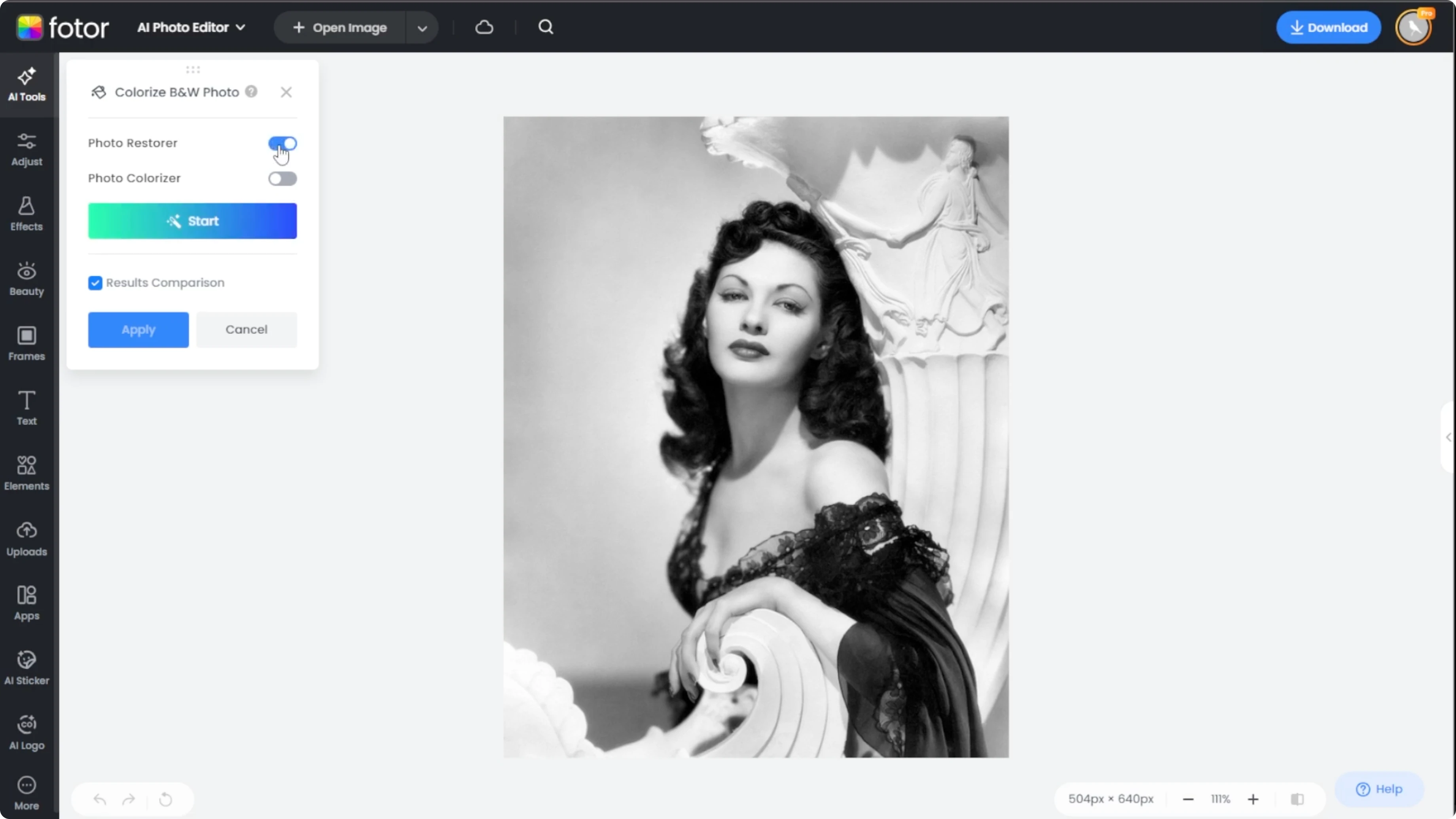
You can toggle either or both depending on what your image needs. For old and worn out photos, enabling both is recommended. For a playful creative option after colorizing, explore how to turn portraits into a toy style with our Funko Pop AI guide.
Upload
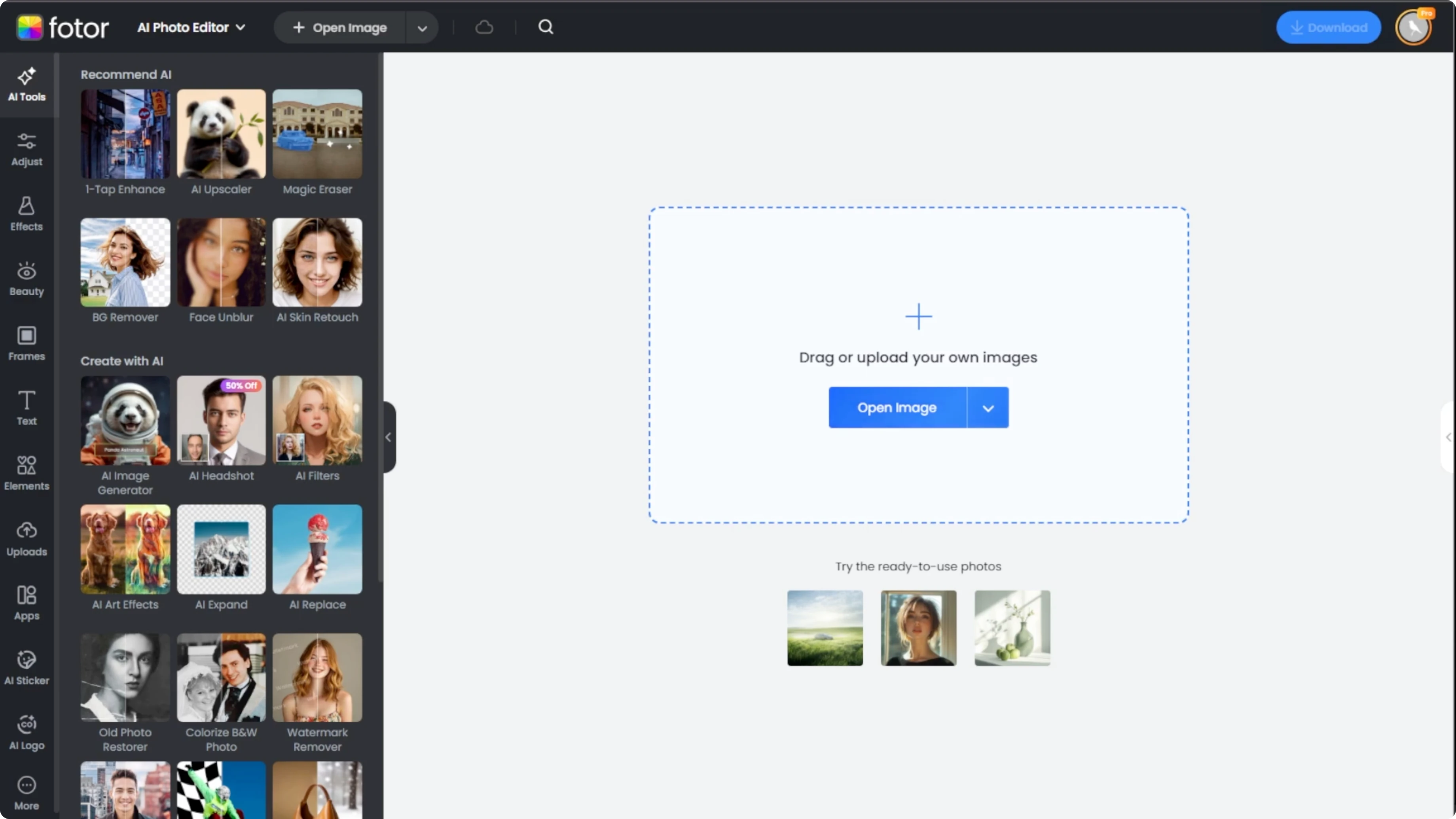
Click the Upload button to select your black and white image from your device. If you are experimenting, choose one of the sample images provided by the site to test the tool.
Colorize
Make sure the Photo restore and Photo colorizer toggles match your goal. Once you have selected your settings, click Start and the AI will analyze the image and apply the colorization within seconds.
After processing, a comparison bar appears over your photo. Click and drag the bar left and right to see the before and after.
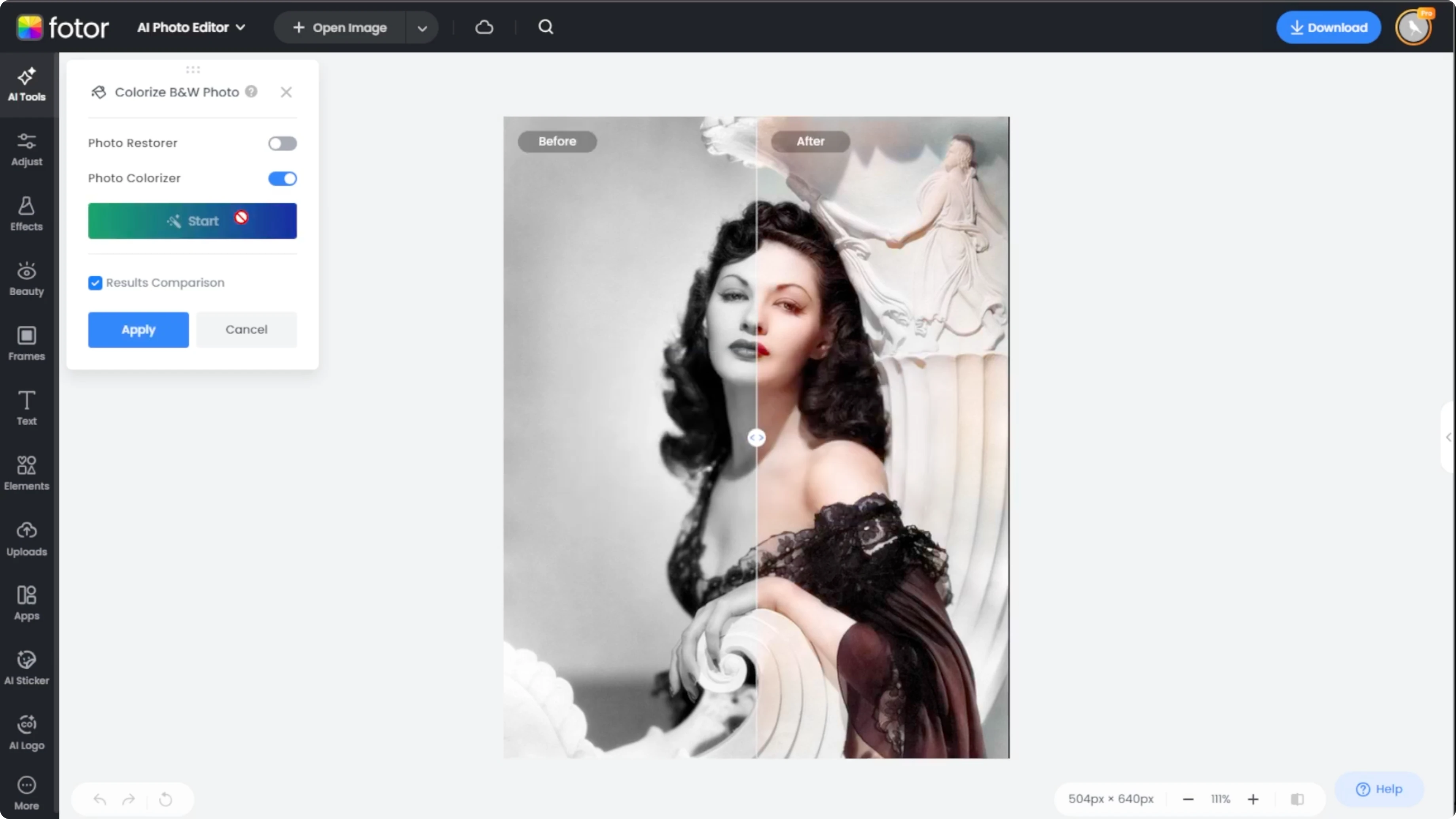
If you prefer to view only the final result, turn off the result comparison toggle on the panel. When you are satisfied with the results, click Apply to confirm the changes.
Review and save
Click Download at the top of the page to save your image. If you want extra polish after downloading, you can fine tune tones and warmth by following this guide to adjust color in Canva.
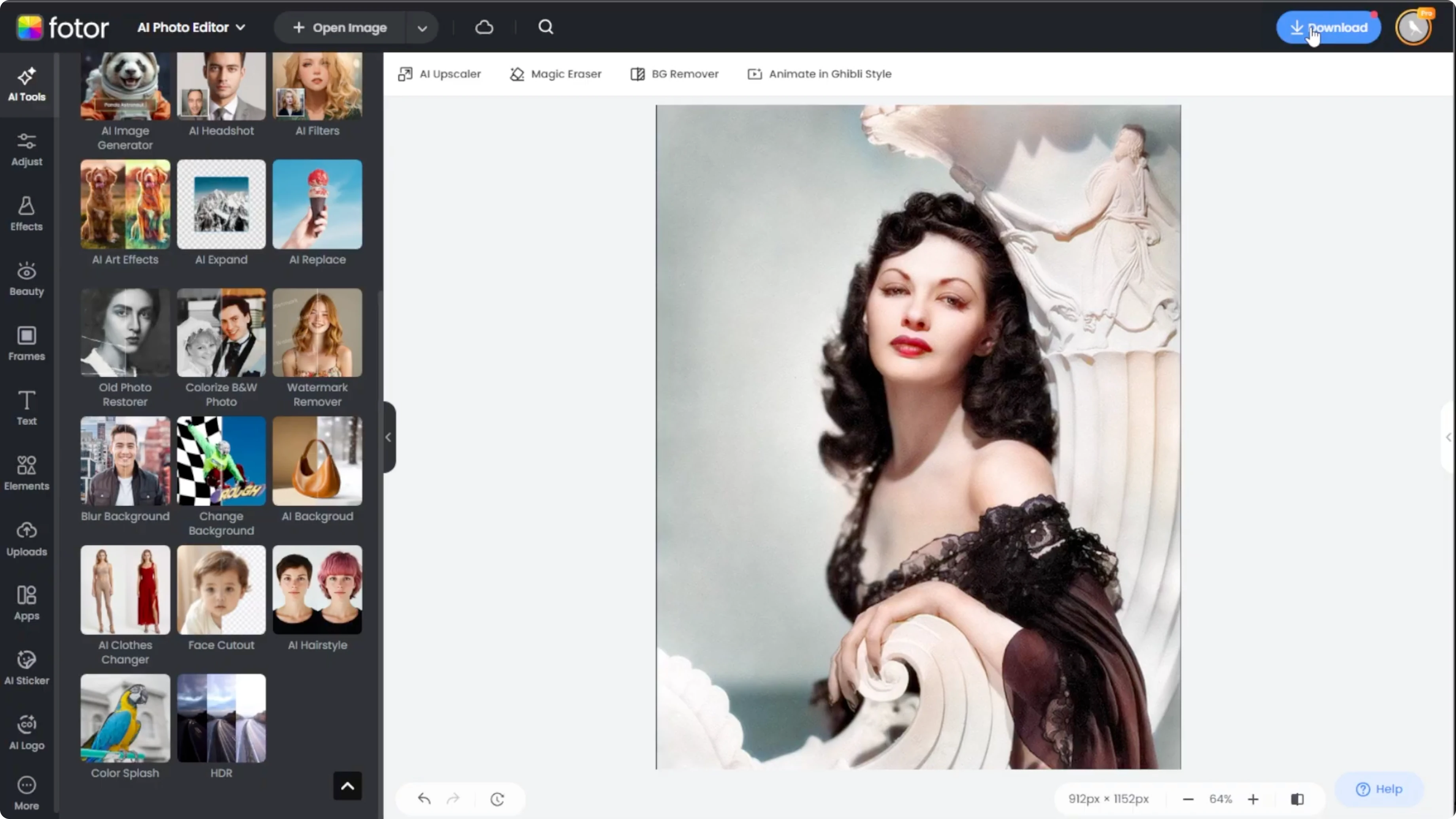
For creative compositions, place your new colorized image over textures or frames and learn how to blend two images in Canva AI for a cohesive look.
Final thoughts
Colorizing black and white photos with AI is fast and accessible. Photo restore and Photo colorizer work together to clean and enrich your image, while the comparison bar makes it easy to judge the result. Once you are happy, Apply and Download to preserve a vivid version of your memory.
Recent Posts

How to Visualize Yourself as a Pixelized Character with AI?
How to Visualize Yourself as a Pixelized Character with AI?

How to Revive Faded Memories and Enhance Image Clarity with AI?
How to Revive Faded Memories and Enhance Image Clarity with AI?

How to Visualize Yourself as an Animal Crossing Character with AI?
How to Visualize Yourself as an Animal Crossing Character with AI?