How to Fade an Image in Canva
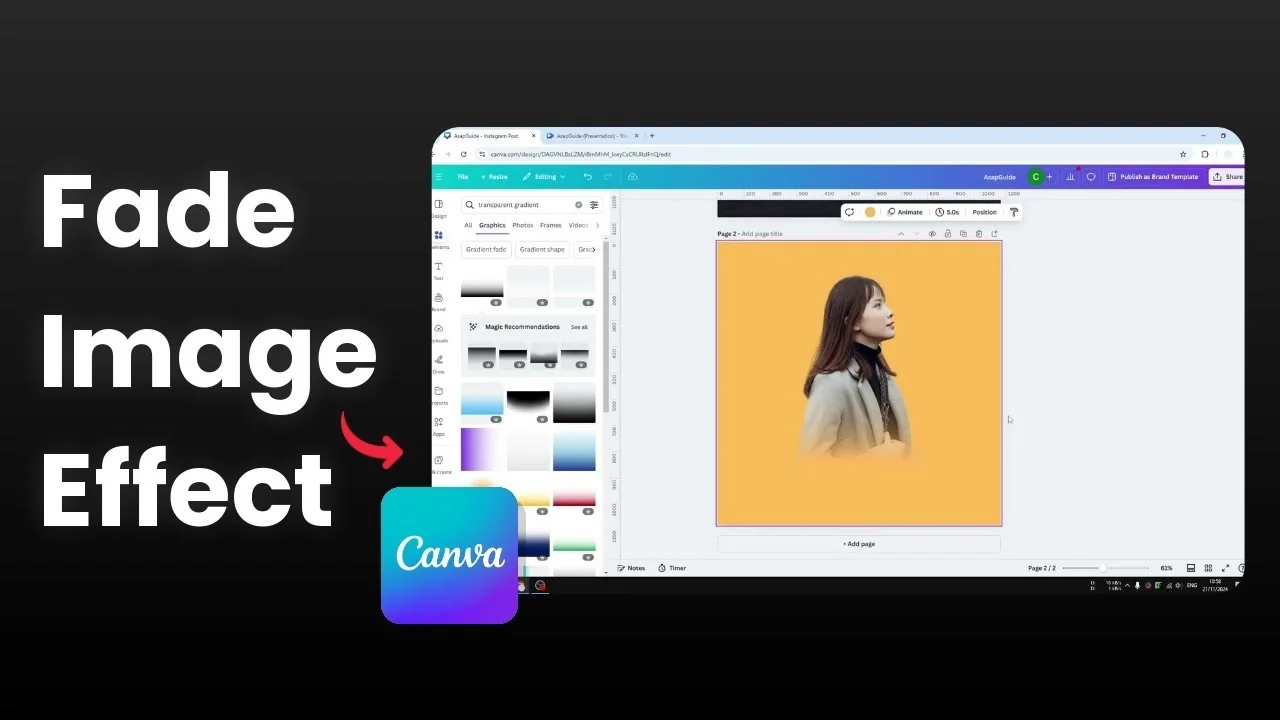
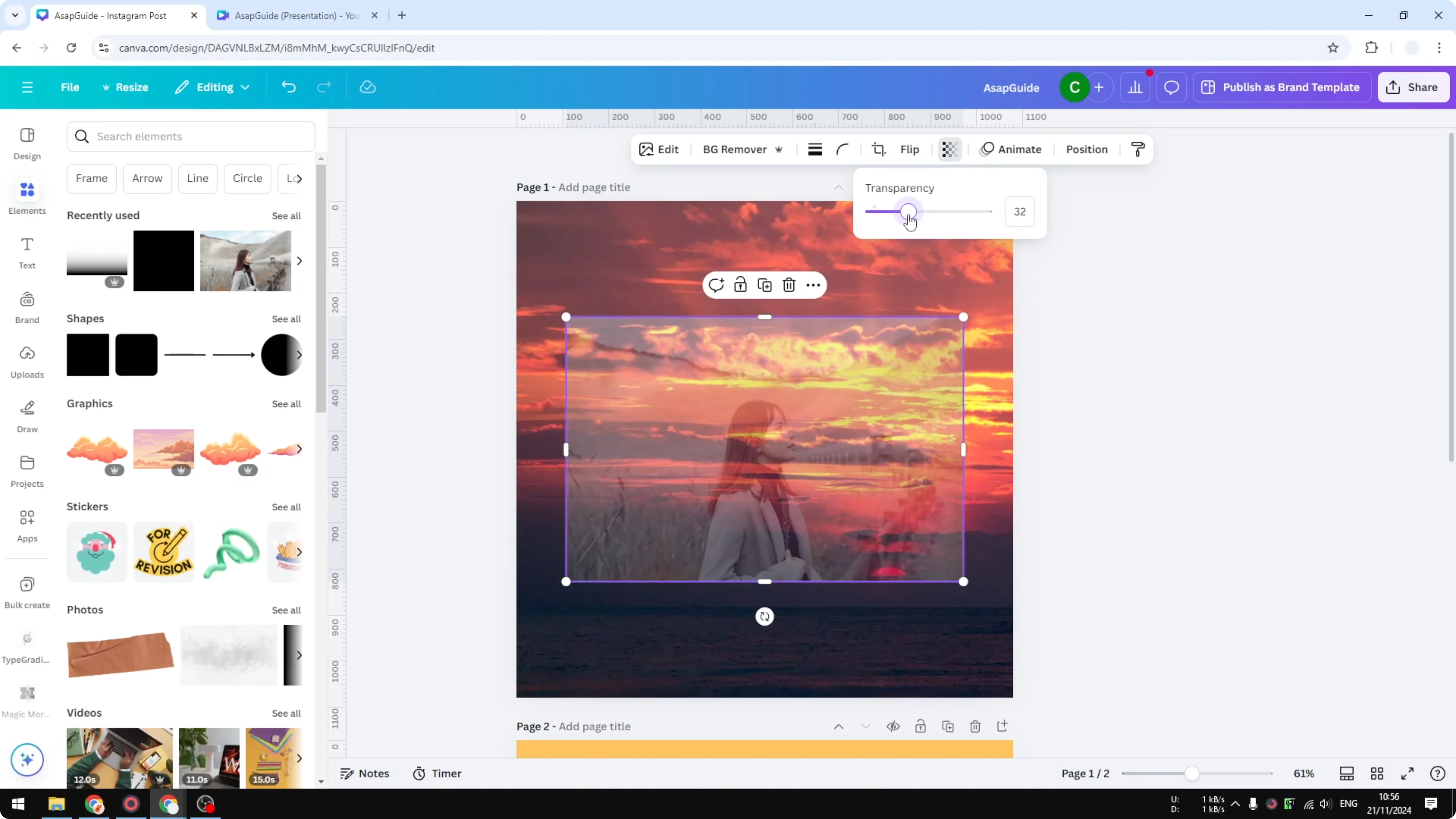
I’m going to show you how to create a fading effect to a picture in Canva. A fading effect is a transparency effect that allows you to see what’s behind the object. For example, I have this picture with a sunset in the background.
If I click the image and set the transparency to 30 percent, we get a fading effect. This is the basic fade effect in Canva, but it is not very interesting. I want to show you something more attractive that looks more fun.
Change the color of an image in Canva if you also want to adjust hues while you work on your fade.
Fade an Image in Canva
Basic transparency
Click the image.
Set the transparency to around 30 percent.

You will see the background show through.
Gradient to transparent
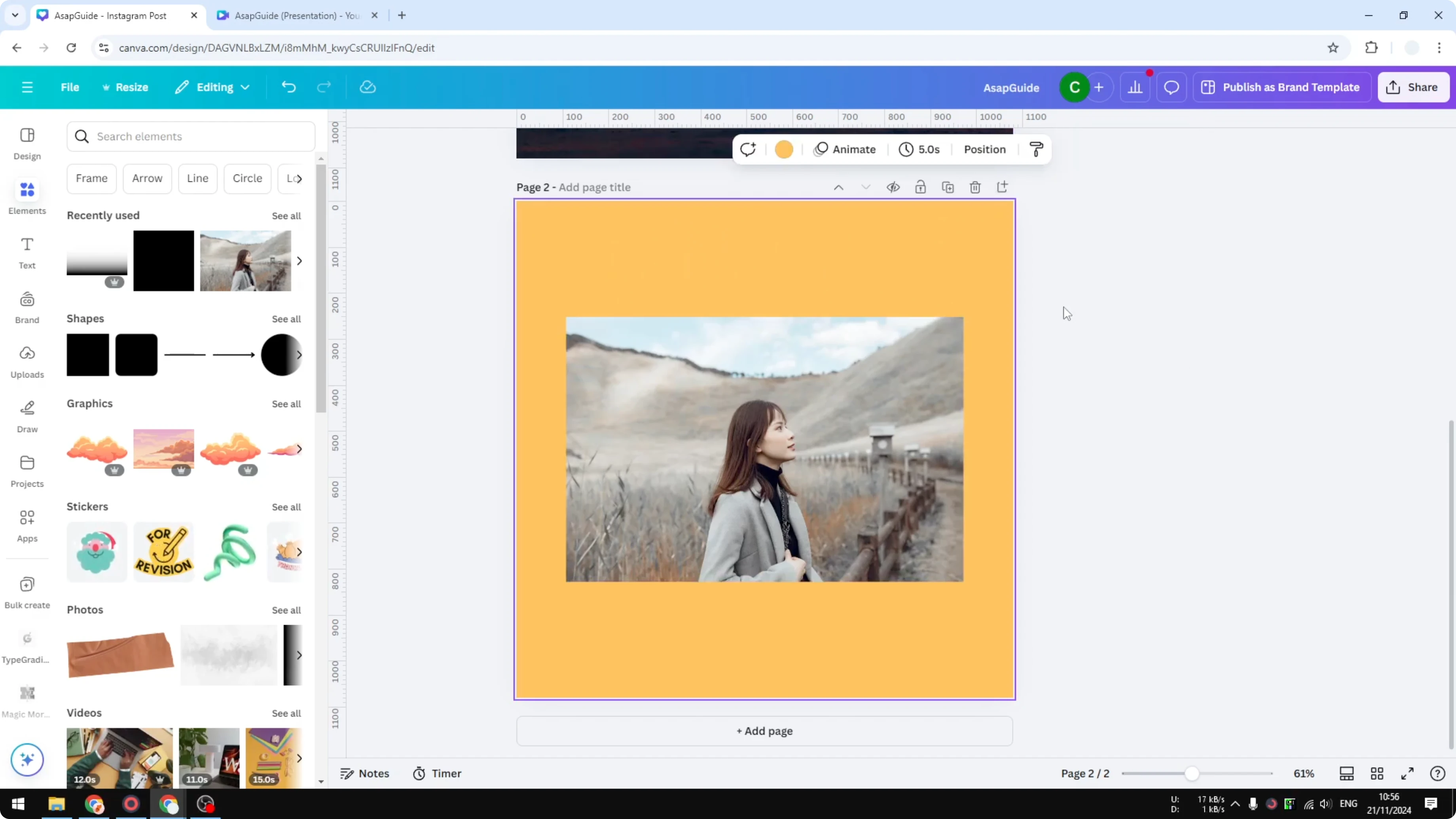
I have the same image, but the background is a solid orange. I’m going to add a gradient effect that transitions from a color into transparent.
Remove background
Remove the background for the picture.

Make the subject a little bigger and position it.
Adjust as needed.
Add text behind your image in Canva if you want a layered look with your subject on top.
Add gradient
Navigate to Elements.

Search for “transparent gradient” - that’s the keyword to use.

Go to the Graphics section.
You will see plenty of colors and you can pick any color.
In this example I pick black.
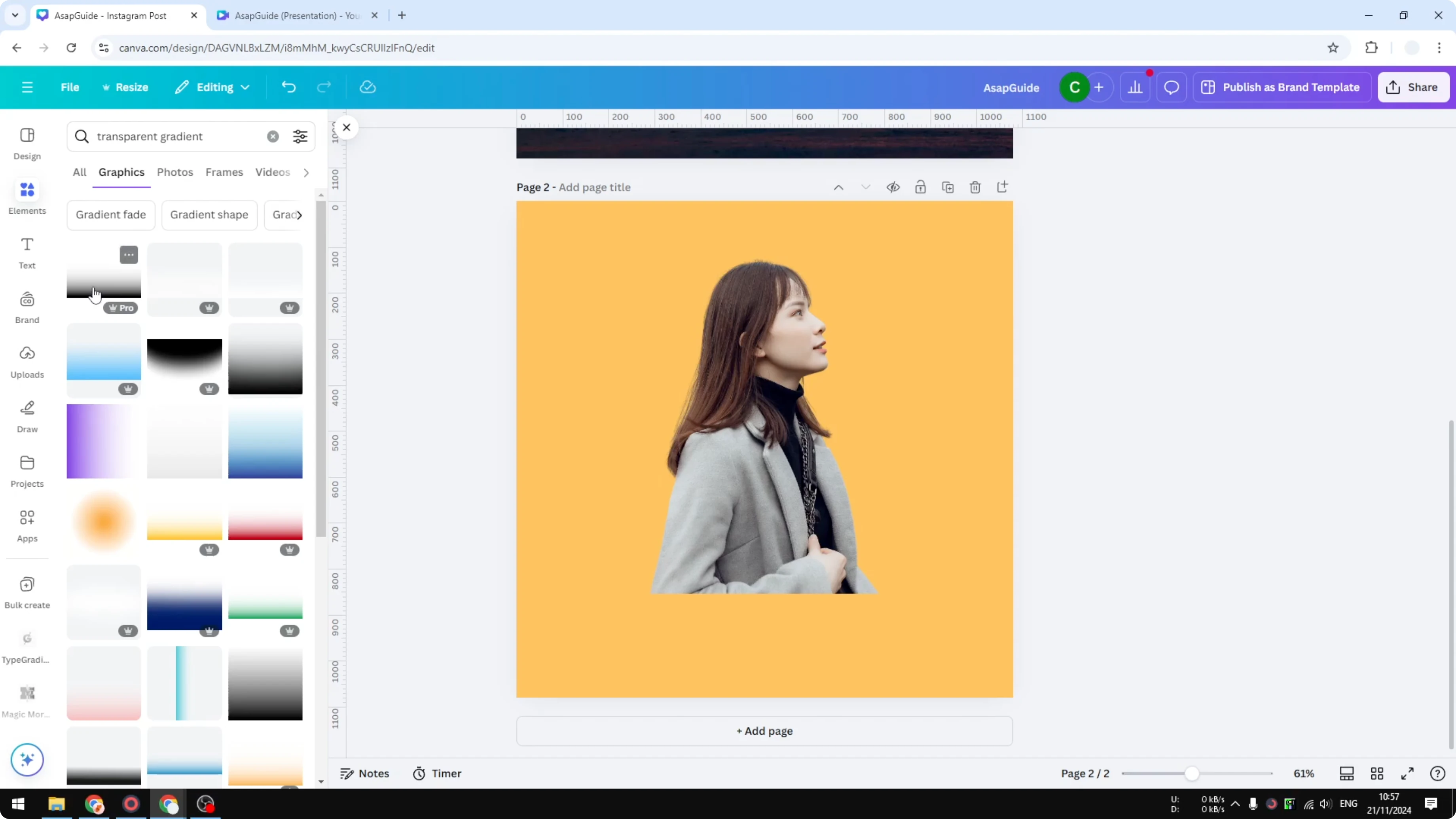
It is partly transparent, transitioning from a color to no color.
Match the background color
This is not orange, so the gradient is obstructing the view.

Click the gradient image, click Edit, and go to Duotone.
Click Custom.
For Highlights, pick the color of the background.

Do the same for Shadows.
Use the color picker tool to select the background color.
Make sure Intensity is 100 percent.
This creates the effect: the color transitions smoothly.

Download a transparent image from Canva if you plan to export this effect without a background.
Final thoughts
A quick transparency change gives you a simple fade, and a gradient with Duotone color matching gives you a smoother transition. Remove the background, add a transparent gradient, and recolor it to match your canvas for a clean result. The fade moves from color to transparent in a way that looks more polished.
Recent Posts

How to Visualize Yourself as a Pixelized Character with AI?
How to Visualize Yourself as a Pixelized Character with AI?

How to Revive Faded Memories and Enhance Image Clarity with AI?
How to Revive Faded Memories and Enhance Image Clarity with AI?

How to Visualize Yourself as an Animal Crossing Character with AI?
How to Visualize Yourself as an Animal Crossing Character with AI?