How to Create an Echo Text Effect in Canva
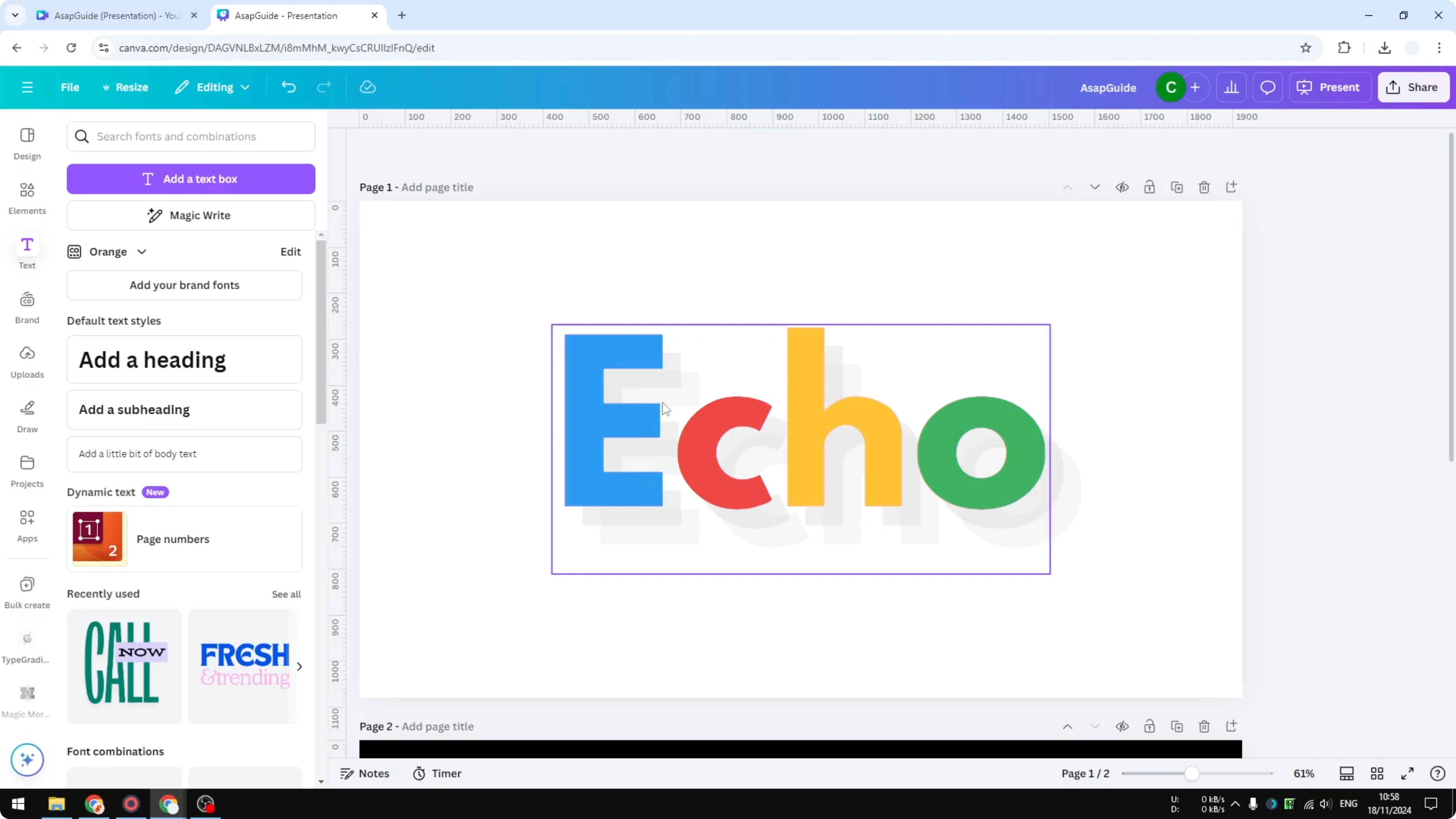
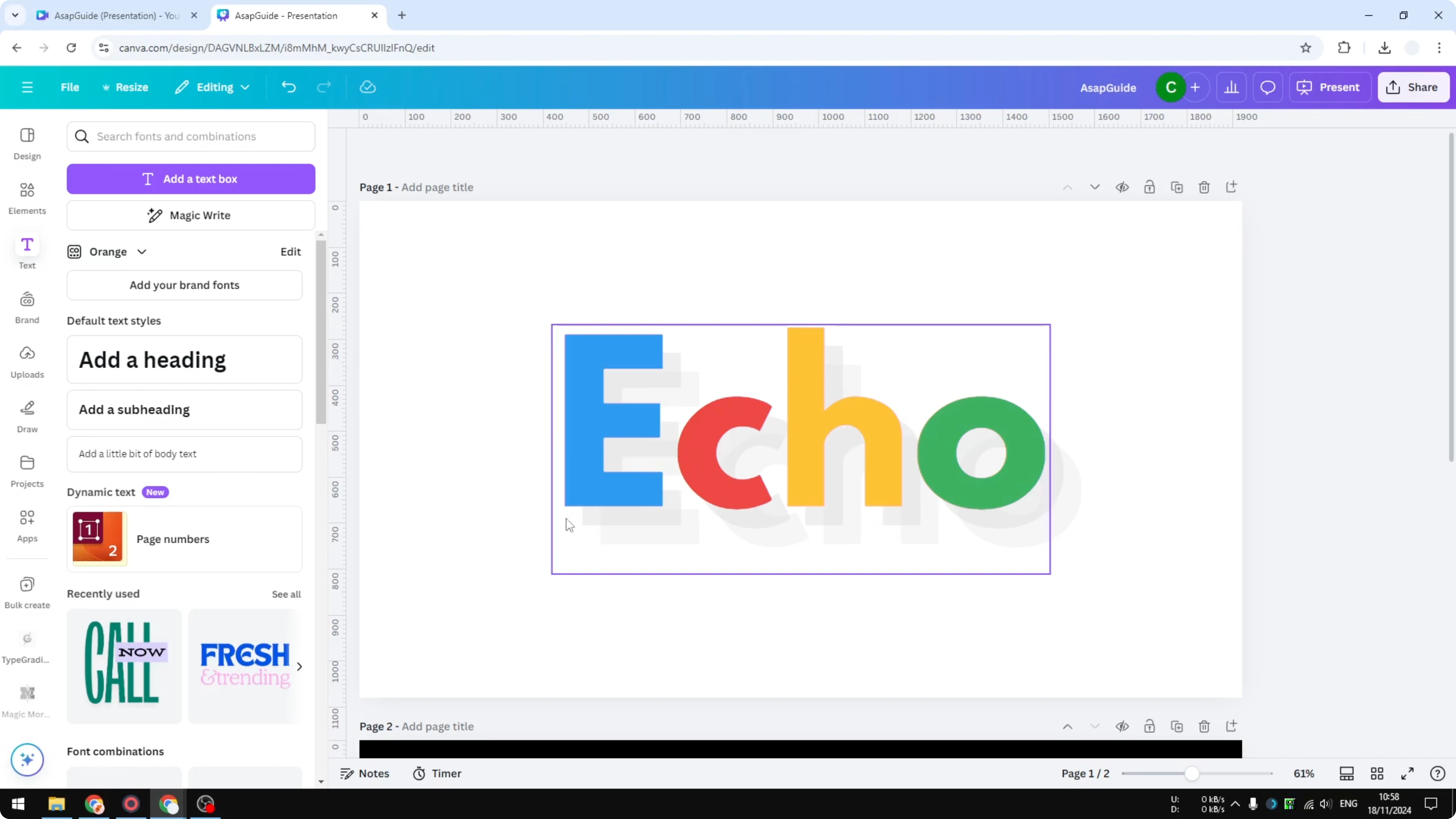
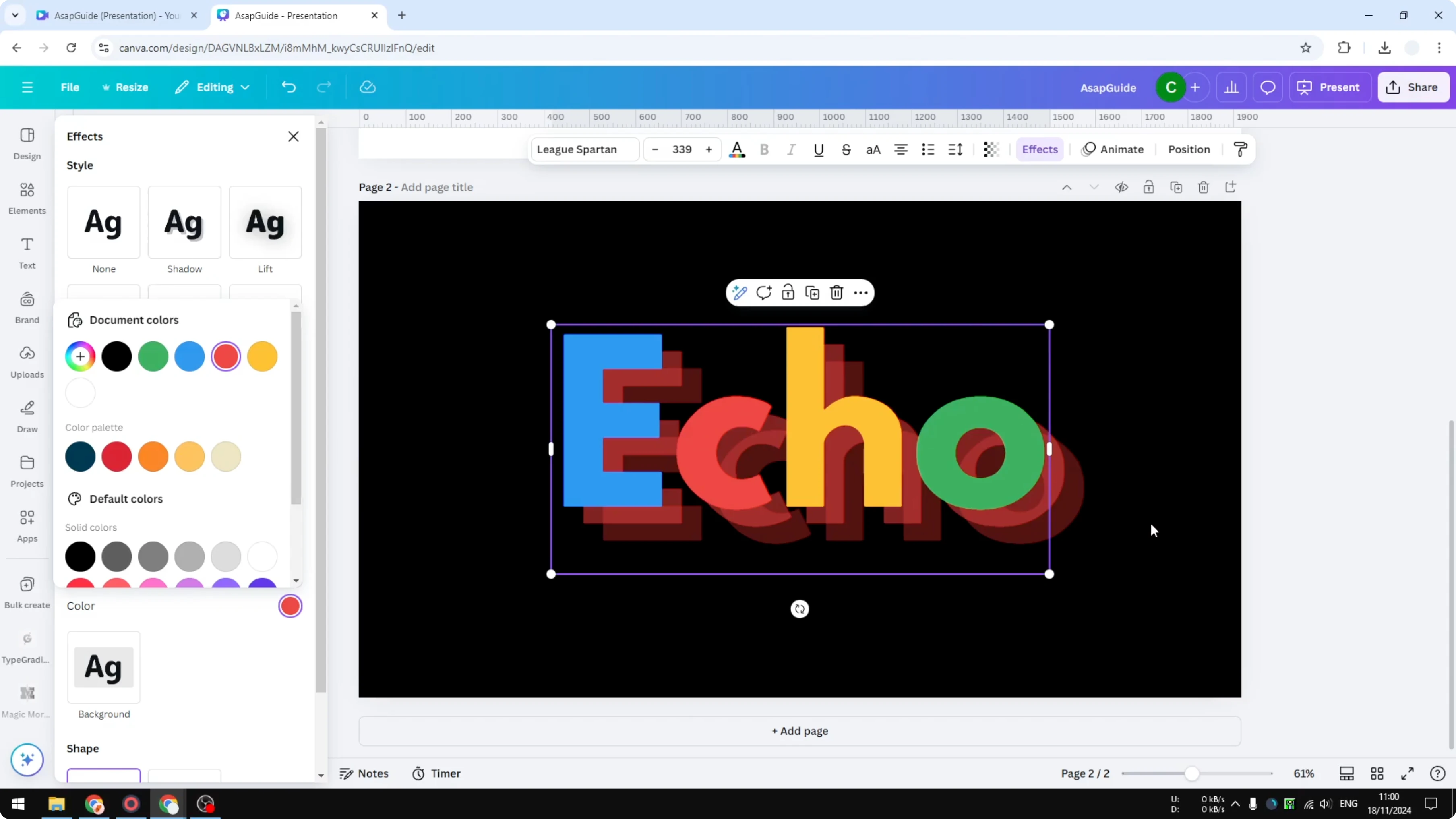
I’m going to show you how to add an echo effect to text in Canva. Echo is similar to Shadow, except the shadow is sharper and you can see multiple shadows of the same text. That stack creates the depth or echo effect.
I applied it to one text box to show how the multiple shadows read on light backgrounds. I also tested the same text on a black background to show contrast and color choices. The steps are the same across pages and backgrounds.
If you want a softer, washed look instead of stacked shadows, see this guide to a faded style: Create Faded Text Effect Canva.
Echo text effect in Canva
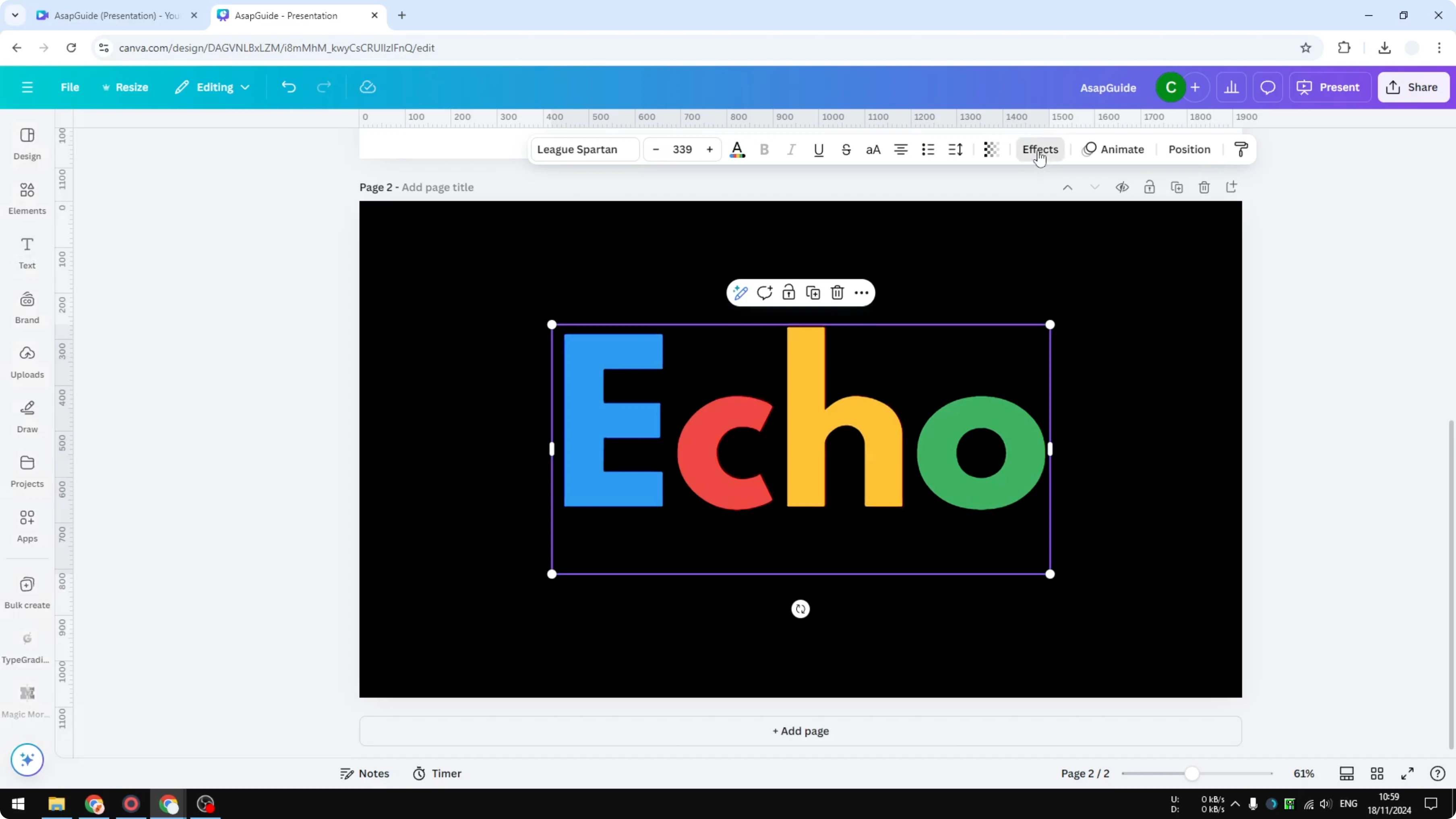
Apply the effect
Select the text you want to style - you can select multiple text boxes at once.
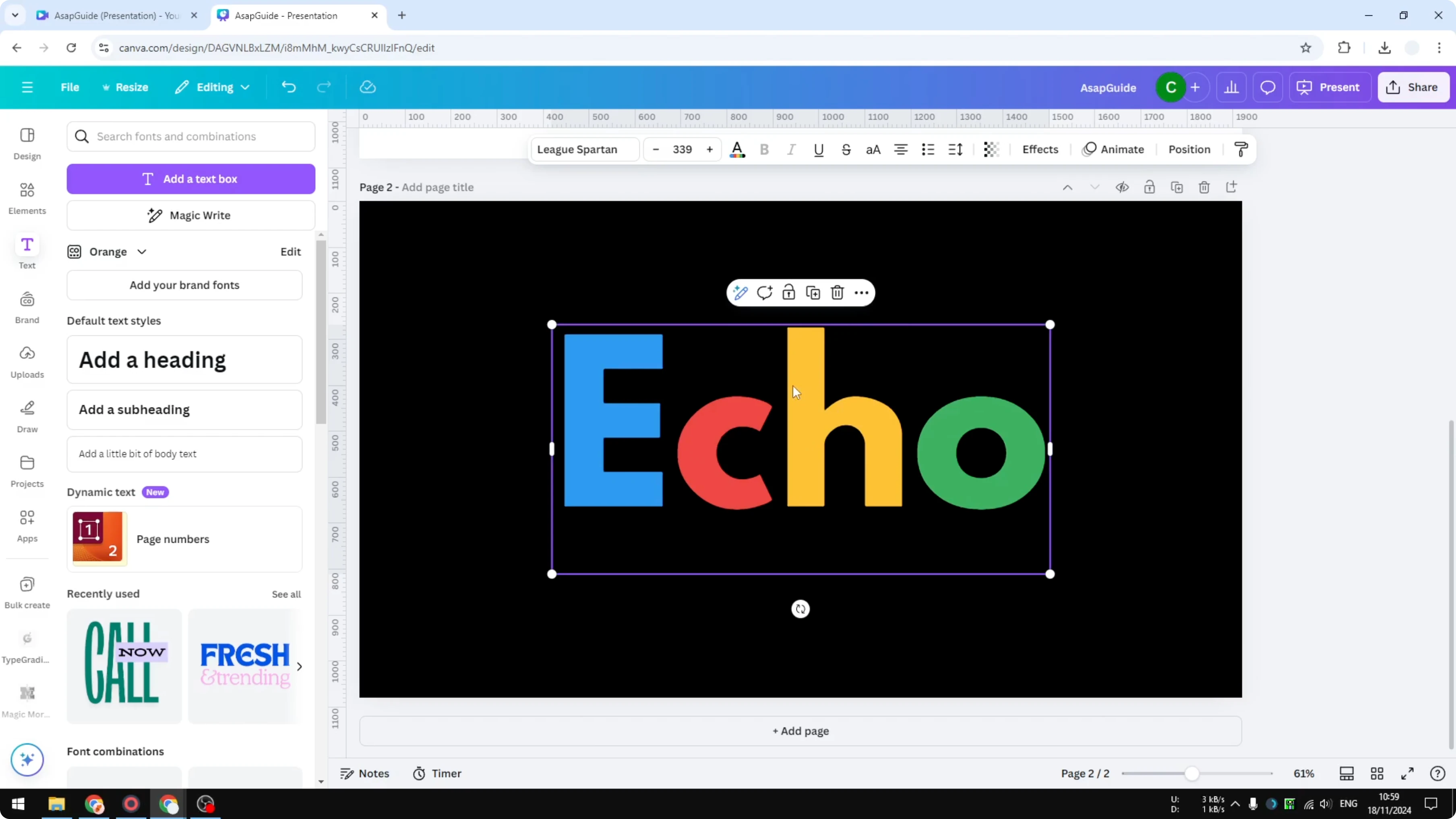
Open Effects.
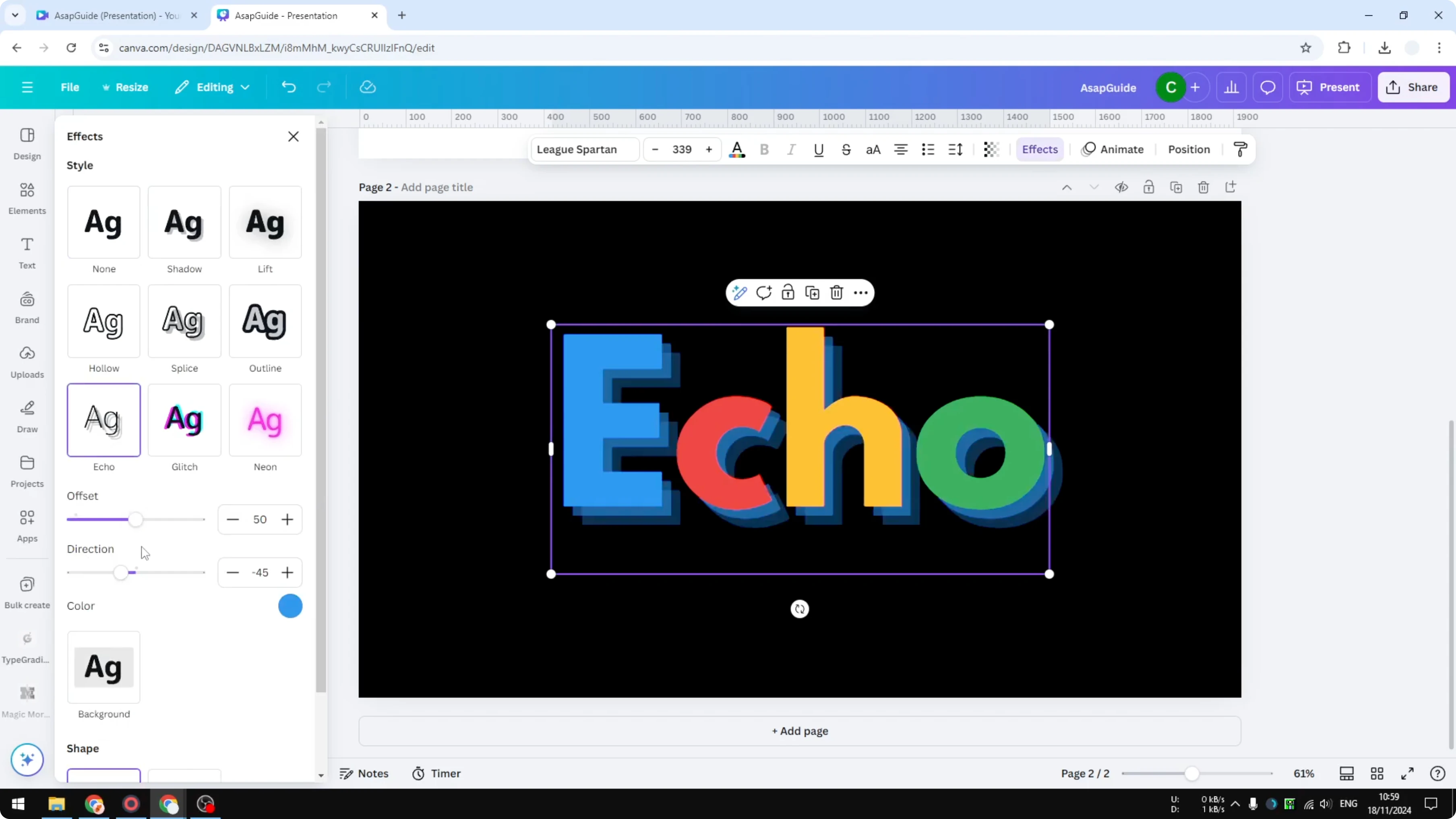
Click Echo to enable it.
Tweak offset and direction
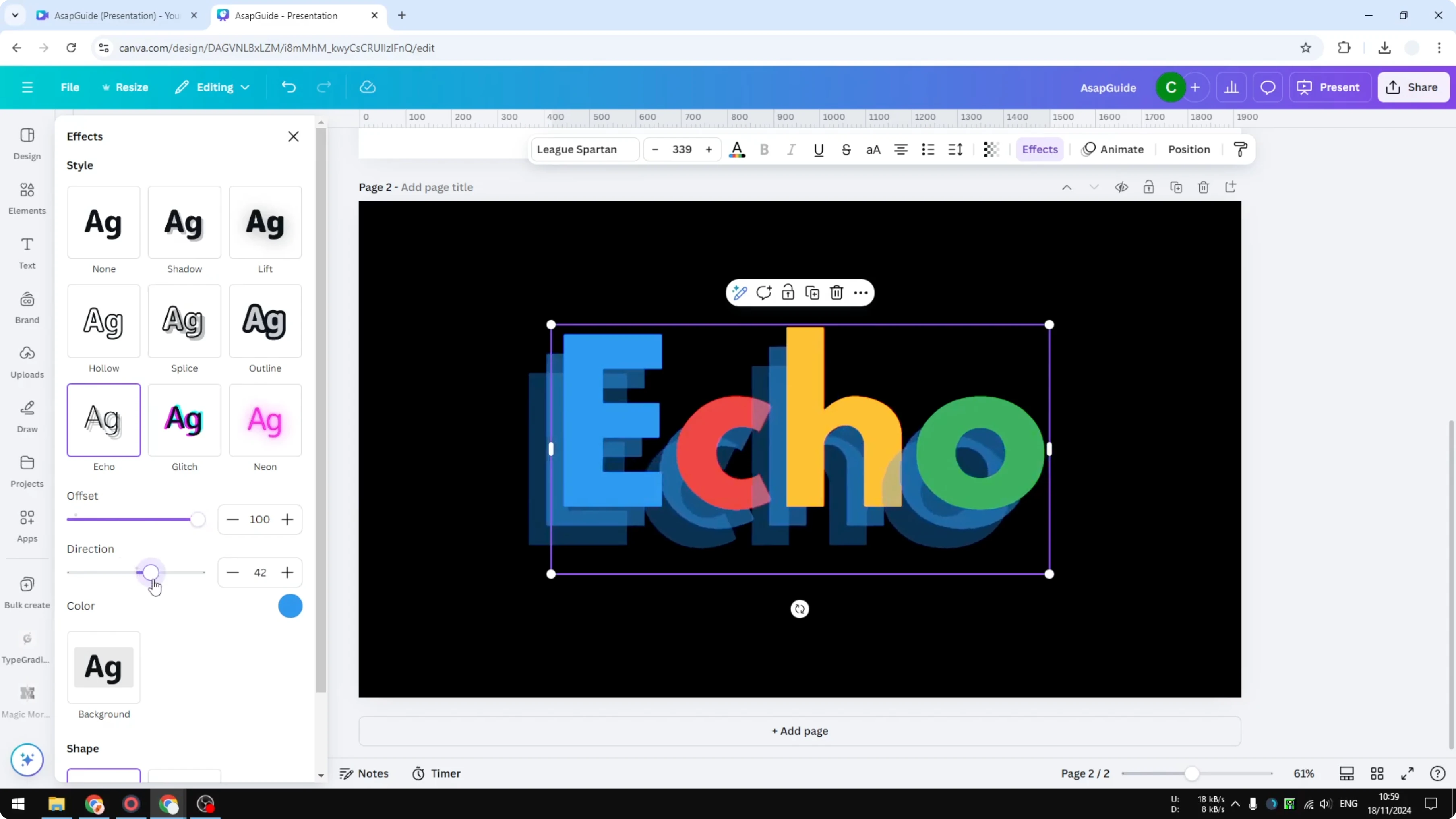
Offset controls the distance between the echo and the original text. The higher the number, the farther the echo sits from the original. Increase it for a bolder stack or pull it back for a tighter echo.
Direction sets the angle of the shadow stack. Move the angle to push the echoes in the direction you prefer. I like to set it where the echoes are clearly visible without overpowering the main text.
For a more digital, distorted feel instead of a stacked echo, try this effect walkthrough: Create Glitch Text Effect Canva.
Pick colors that pop
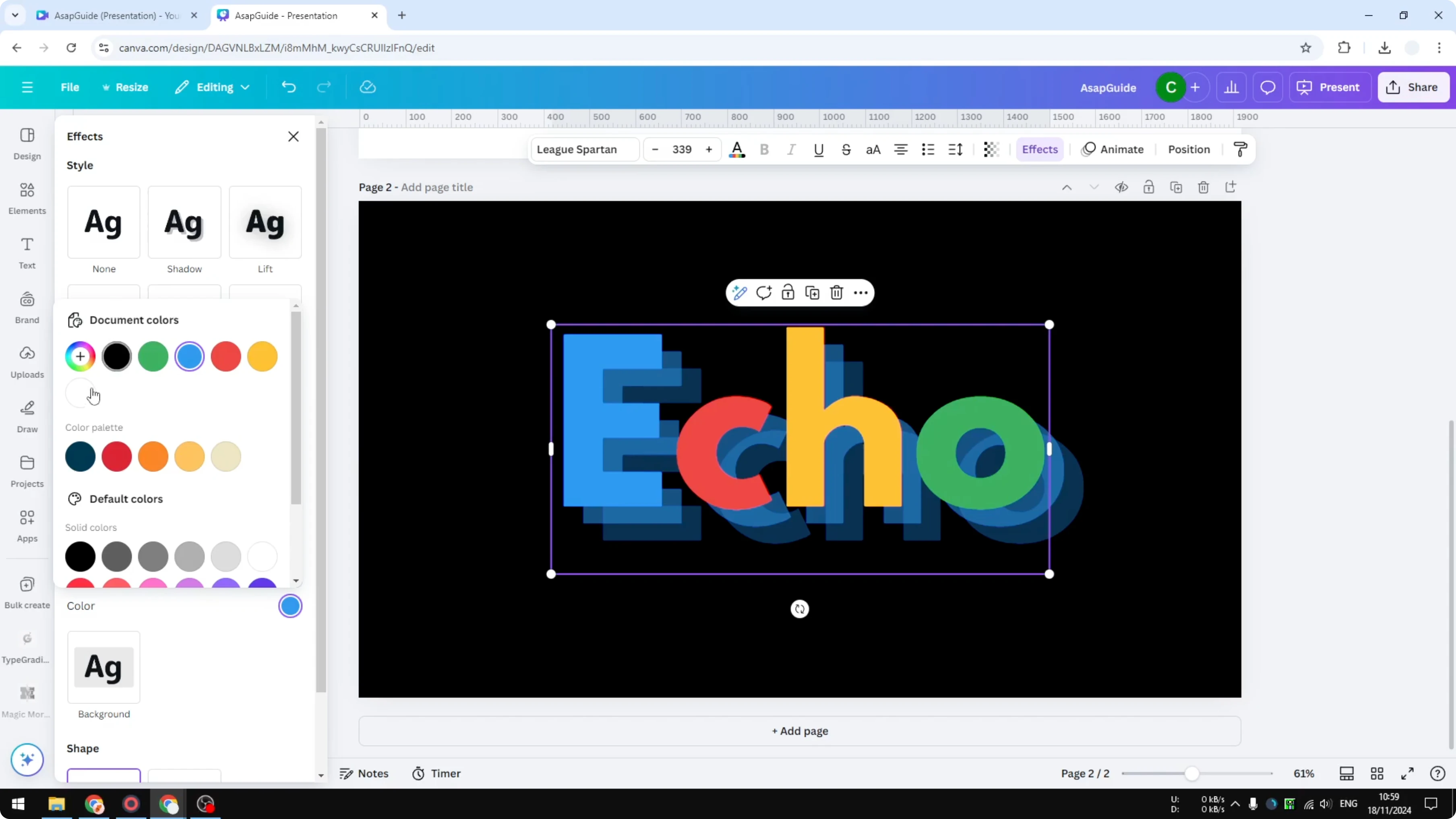
Color changes the echo itself, not the fill of the main text. You can choose any color - black, white, or something bold and colorful. I like green for a vibrant look, and red works really well too.
If you’re building themed titles and want something organic, you can also explore a grassy letter style here: Create Grass Text Effect Canva.
Final thoughts
Echo stacks multiple shadows behind your text, giving you clear depth and a graphic feel. Enable Echo, adjust Offset and Direction, then pick an echo color that fits your background. That’s all you need to add an echo effect to text in Canva.
Recent Posts

How to Visualize Yourself as a Pixelized Character with AI?
How to Visualize Yourself as a Pixelized Character with AI?

How to Revive Faded Memories and Enhance Image Clarity with AI?
How to Revive Faded Memories and Enhance Image Clarity with AI?

How to Visualize Yourself as an Animal Crossing Character with AI?
How to Visualize Yourself as an Animal Crossing Character with AI?