How to Add Outlines to Fonts in Canva
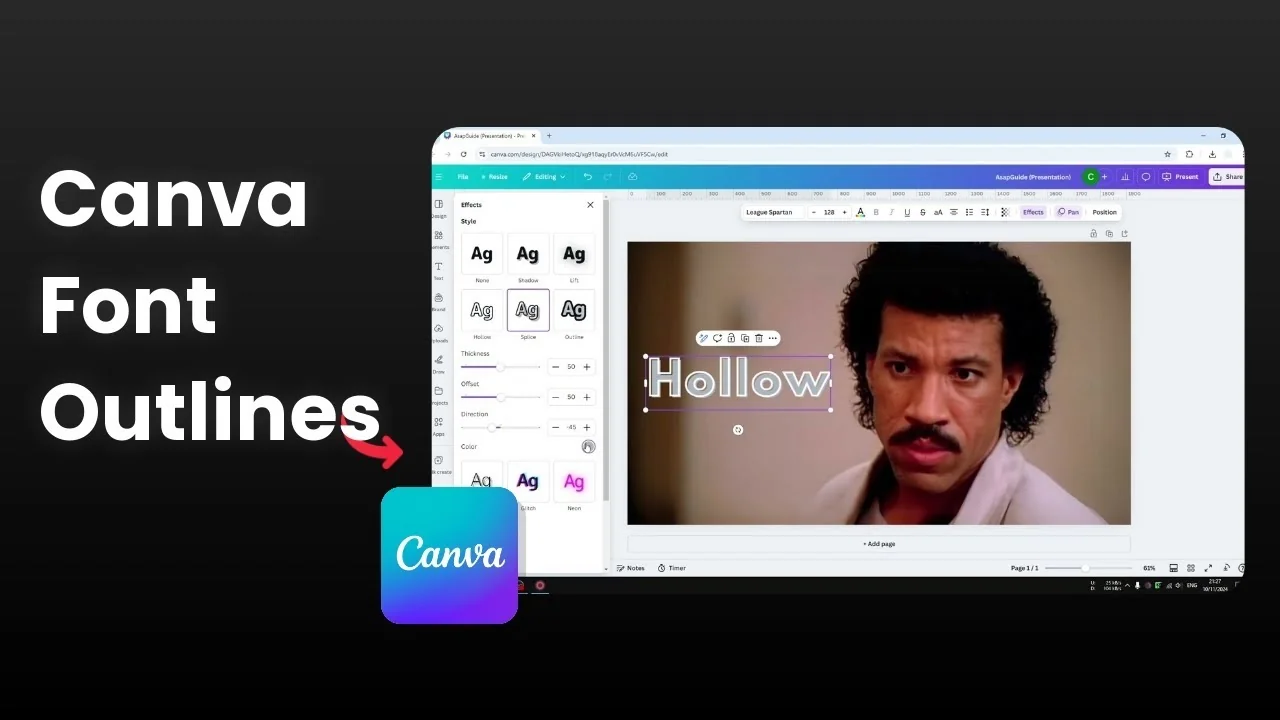
I’m going to show you how to convert fonts to outlines in Canva. This basically adds a border to each letter of your text. You don’t need any third-party tools or complicated steps, because this feature is available in Canva natively.
Add Outlines to Fonts in Canva with Hollow
Hollow is the quickest way to apply a border to each letter. It’s built into the Effects panel on any text box in your design. Here’s exactly how I set it up.
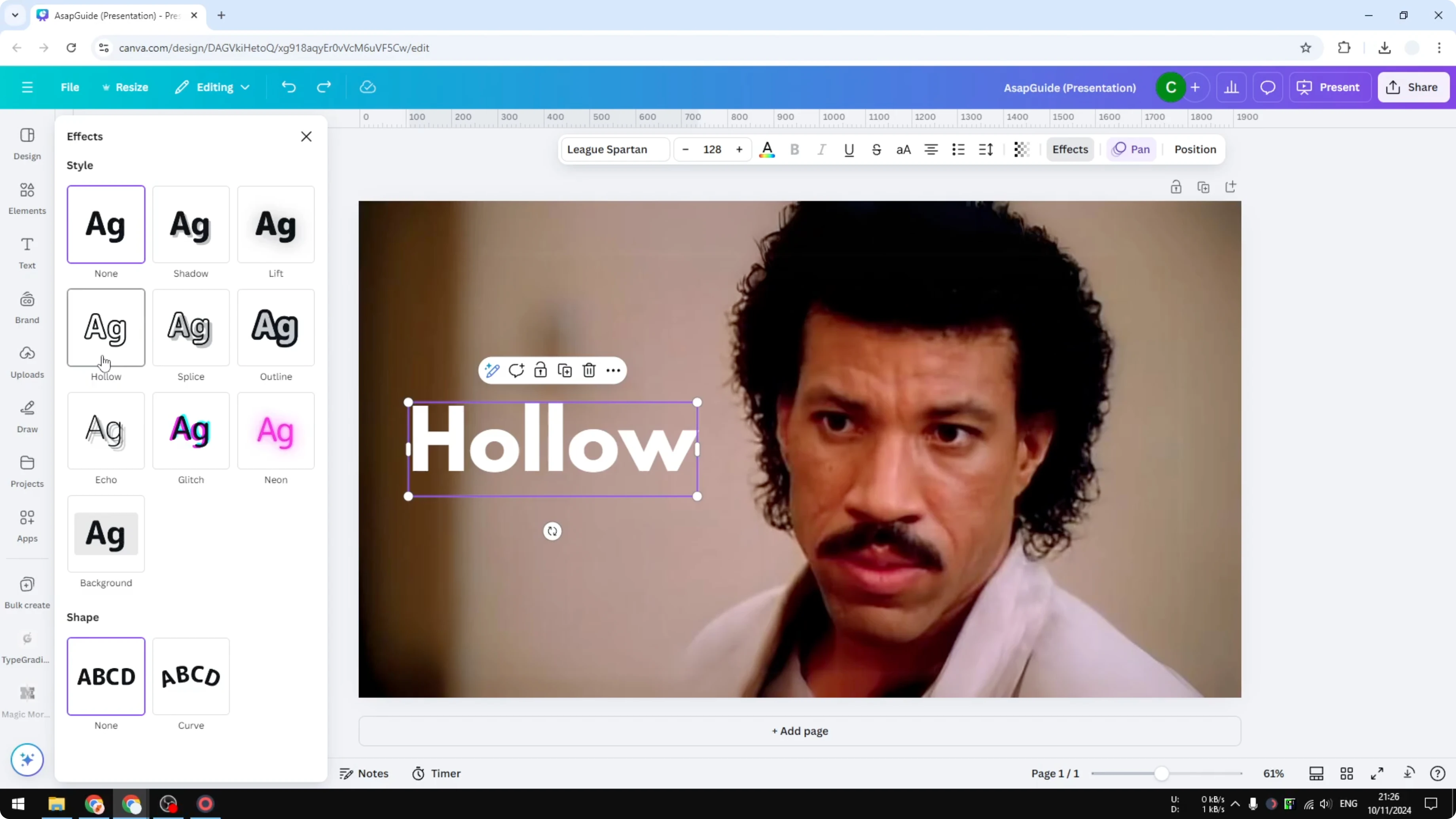
Click the text box.
Open Effects.
Enable Hollow.
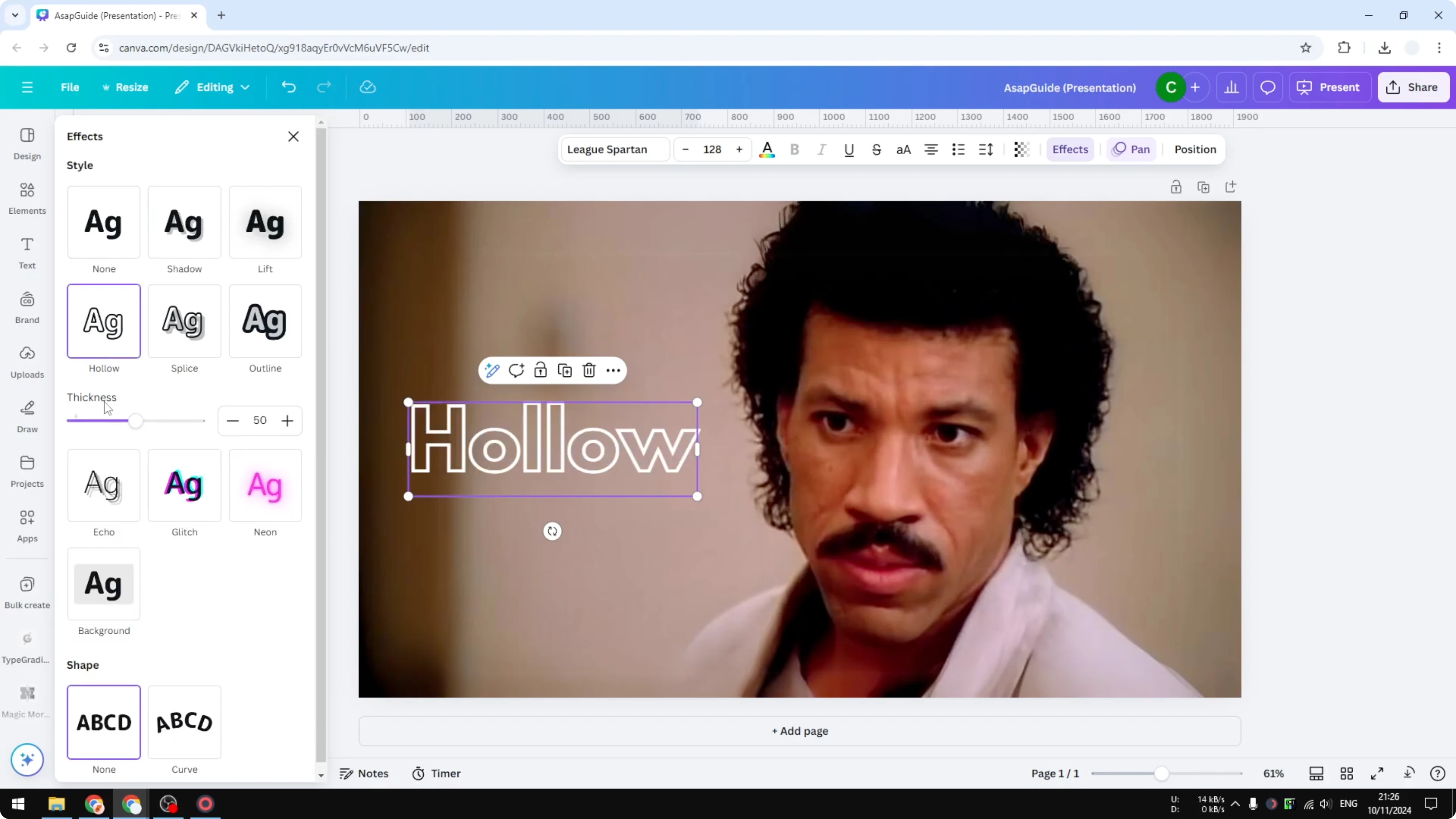
Adjust the Thickness slider. The default is 50.
If letters get too close, increase Letter spacing.
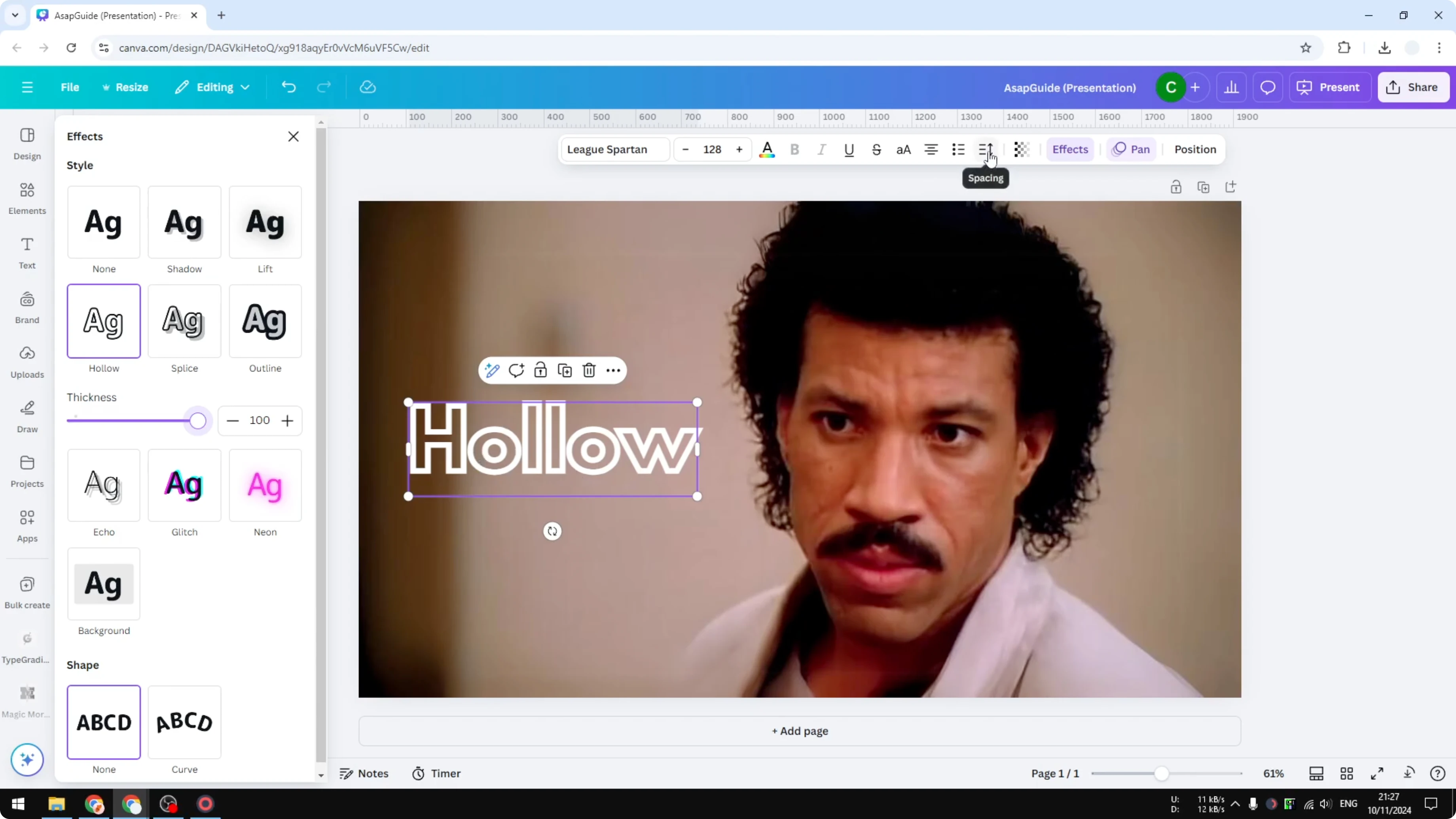
Keep an eye on how thick you make the outline. If it gets too thick, adjacent letters can touch and look crowded. Increasing letter spacing solves this by giving each character a bit more room.
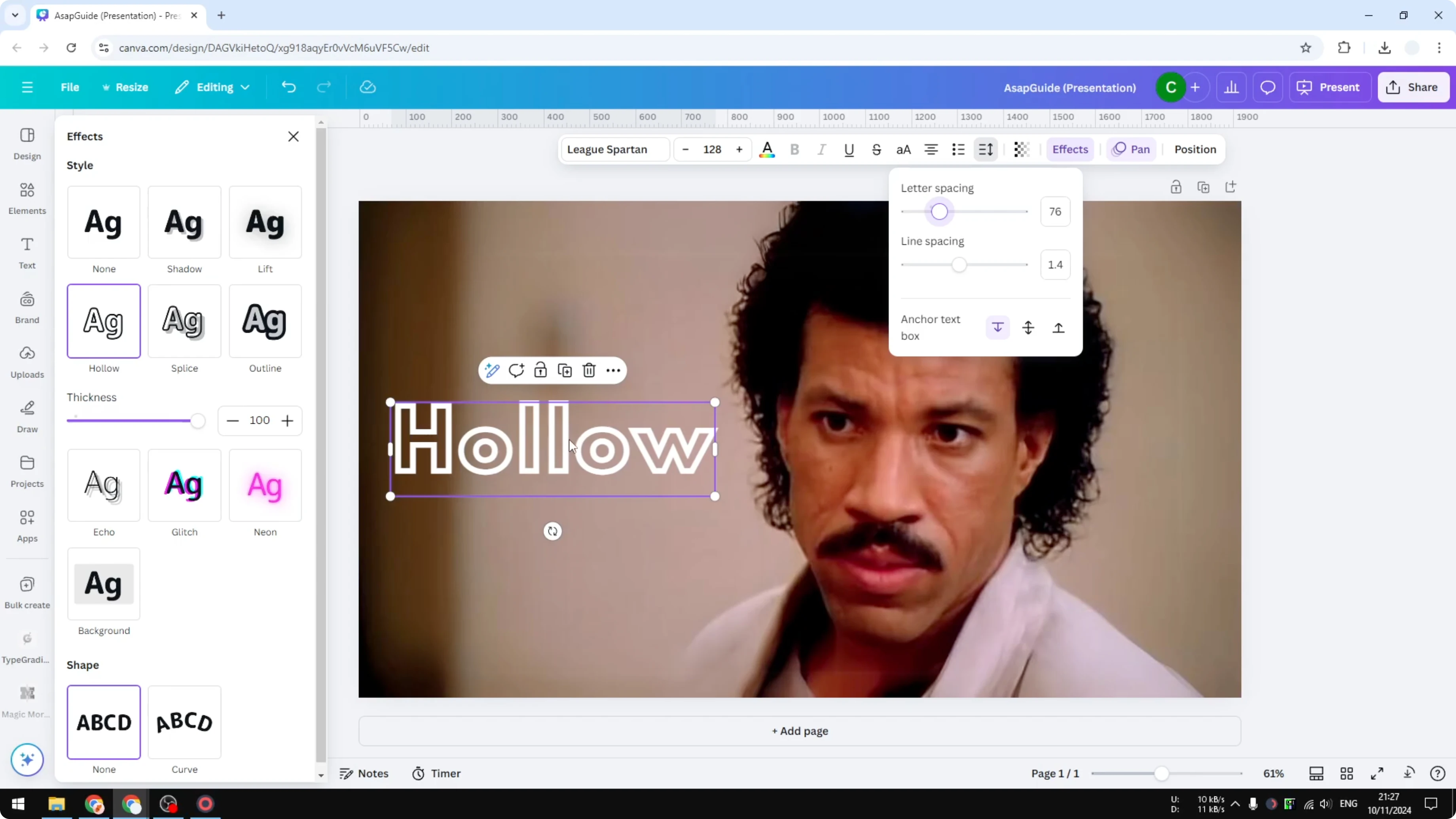
If you need a frame around the entire text block instead of an outline on each letter, you can add a border to a text box for that look.
Add Outlines to Fonts in Canva with Splice
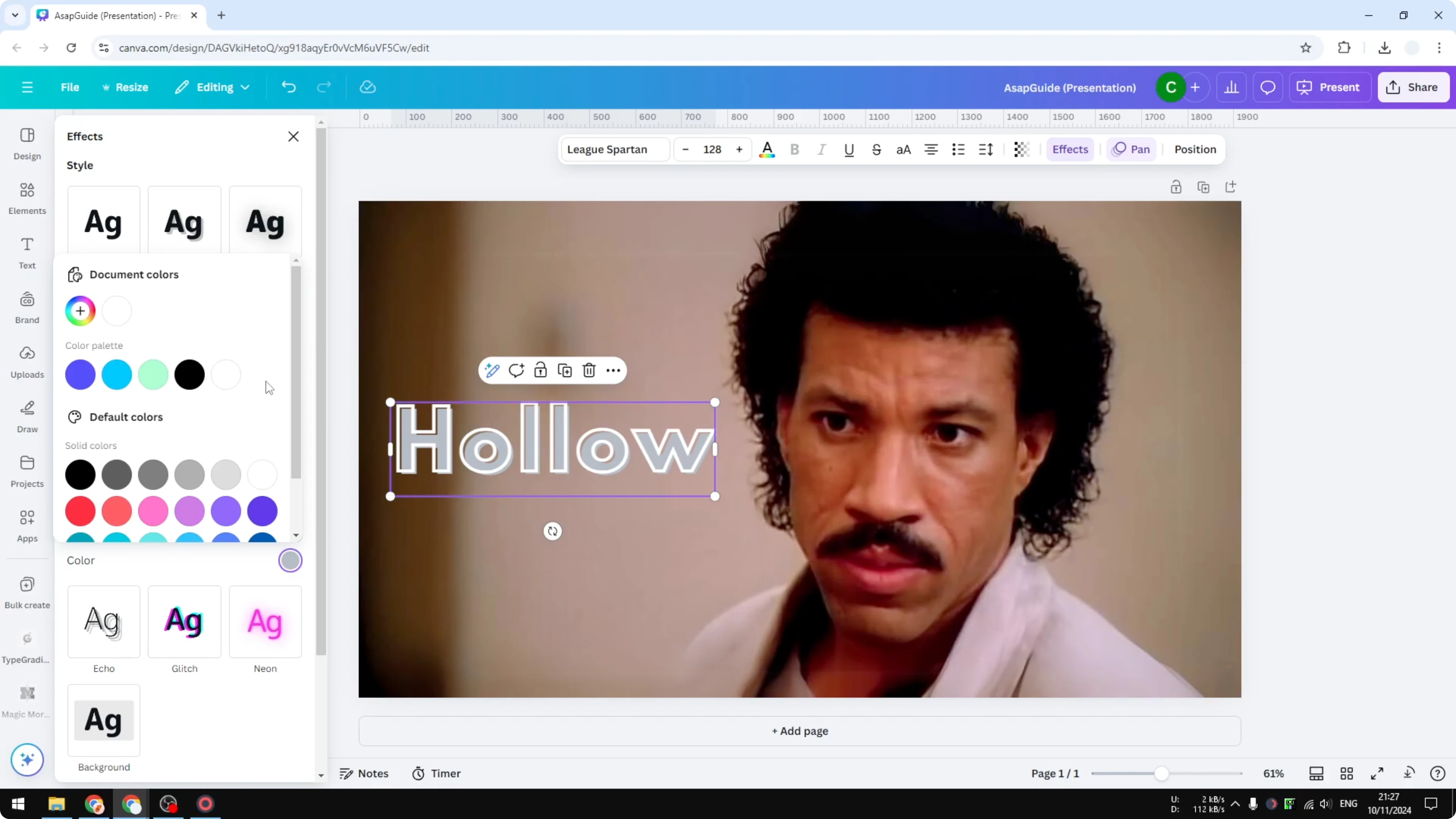
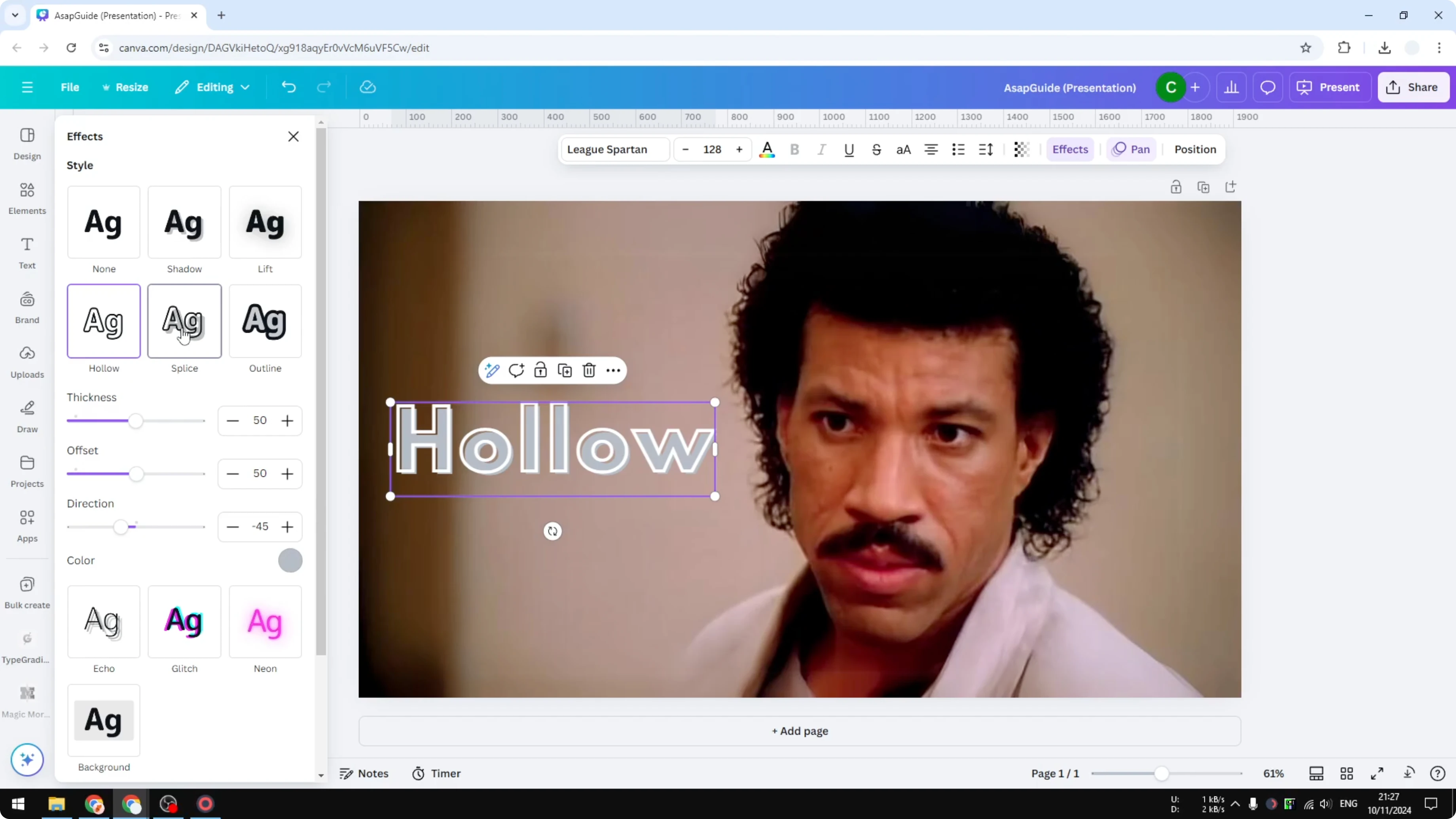
Splice is very similar to Hollow, but it lets you add a color. It creates a stylized offset where the edges and the fill feel slightly shifted. It gives an aesthetic similar to an 80s comic, and some people prefer that in their design because it’s iconic.
If you like that comic vibe for graphics too, try turning photos into a cartoon style with Canva’s AI by following this cartoon effect guide.
Make Add Outlines to Fonts in Canva stand out
Outlined letters can pop even more when paired with a bold backdrop. If that’s what you want, you can add background text in Canva to create contrast behind your outlined words. It’s a simple way to boost readability.
Final Thoughts on Add Outlines to Fonts in Canva
That’s basically it for adding a border to each letter in Canva. Use Hollow for clean outlines, and switch to Splice if you want color and a subtle offset. Adjust thickness and spacing to keep everything readable and well balanced.
Recent Posts

How to Visualize Yourself as a Pixelized Character with AI?
How to Visualize Yourself as a Pixelized Character with AI?

How to Revive Faded Memories and Enhance Image Clarity with AI?
How to Revive Faded Memories and Enhance Image Clarity with AI?

How to Visualize Yourself as an Animal Crossing Character with AI?
How to Visualize Yourself as an Animal Crossing Character with AI?