How to Add Filter to Video in Canva
I’m going to show you how to add a filter to a video in Canva. A filter in video works the same as in photos. It changes the color so you can convey a different emotion or temperature in the scene.
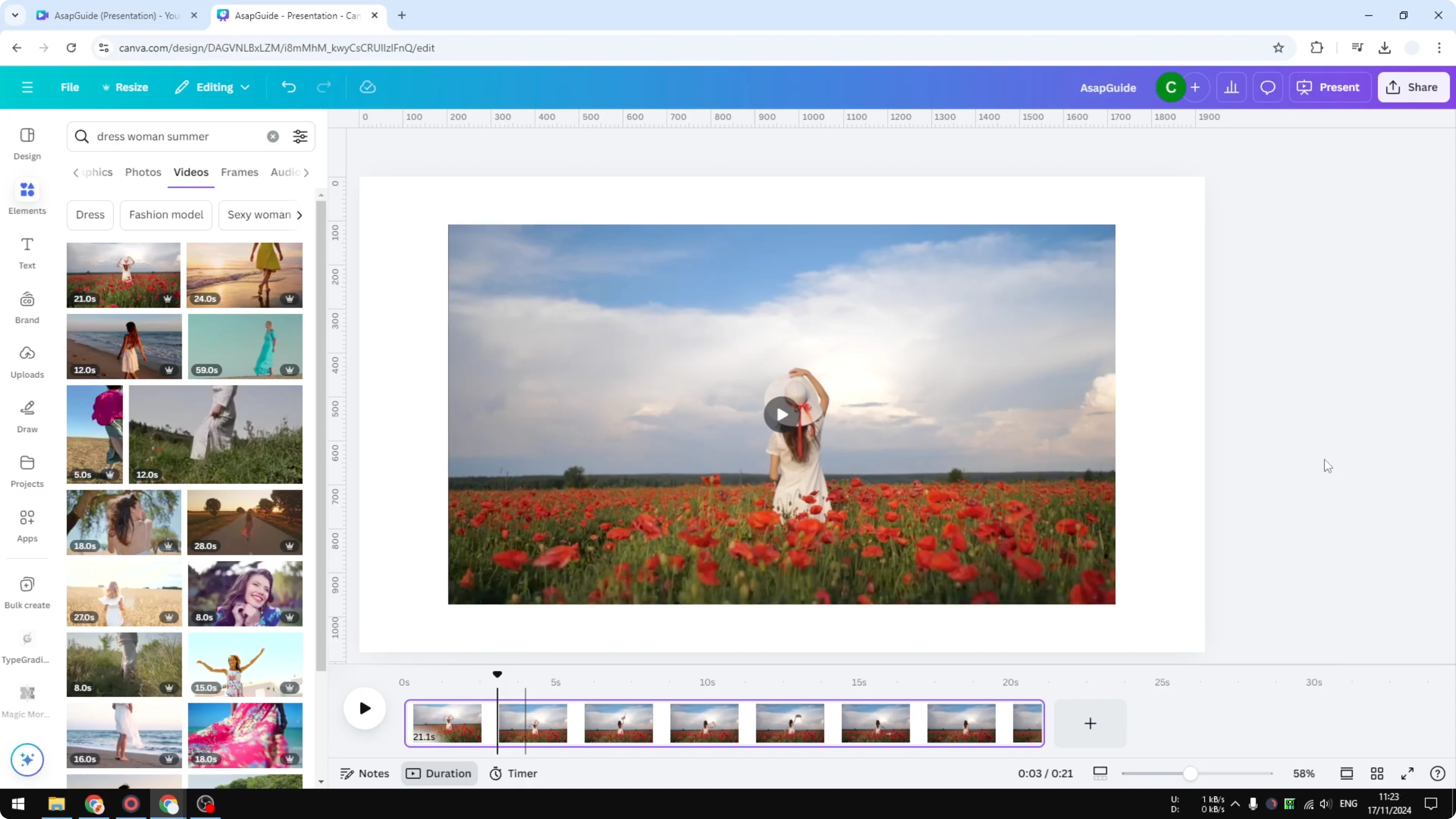
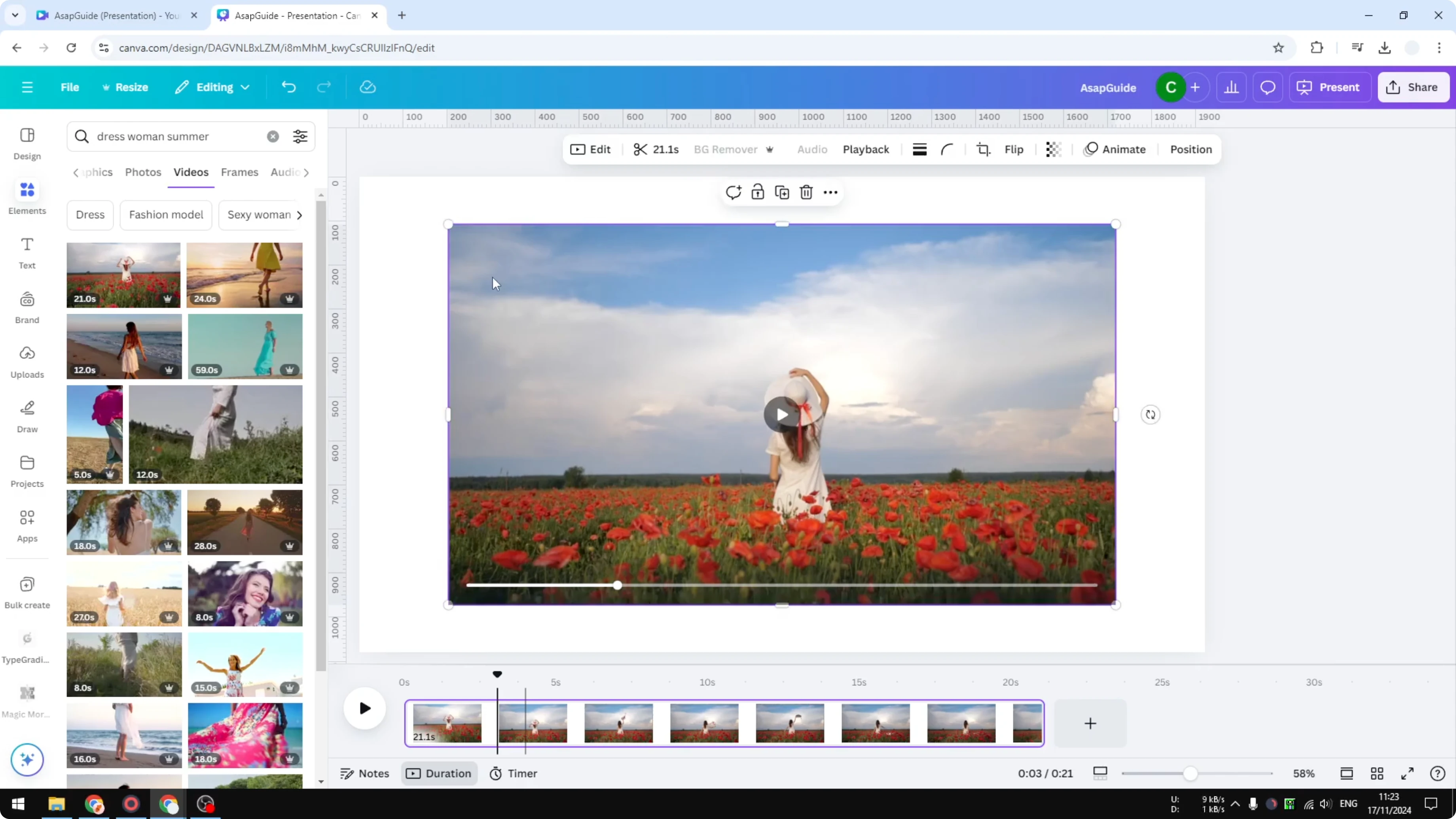
I have a video from the Canva library, and my goal is to make the flowers more vibrant. I want the reds to stand out and the whole scene to feel warmer.
Why filters matter - Add Filter to Video in Canva
Filters are useful when you want the color of your content to look different. A small shift in tone can make a scene feel cooler or warmer. That kind of control helps you tell the story you want.When you finish your color work, you may also want to add transitions to polish the edit. For a straightforward walkthrough, see how to add video transitions in Canva.
Quick steps - Add Filter to Video in Canva
Click the video on your canvas.Open Edit.
Go to Filters.
Preview the options and pick the look you want.
Adjust the filter intensity to taste.
Choose a look - Add Filter to Video in Canva
Canva gives you plenty of filter options, and you can quickly preview each one. Since I want the colors to be more vibrant, I pick the Solar option. The red becomes more prominent than before, which is exactly what I need.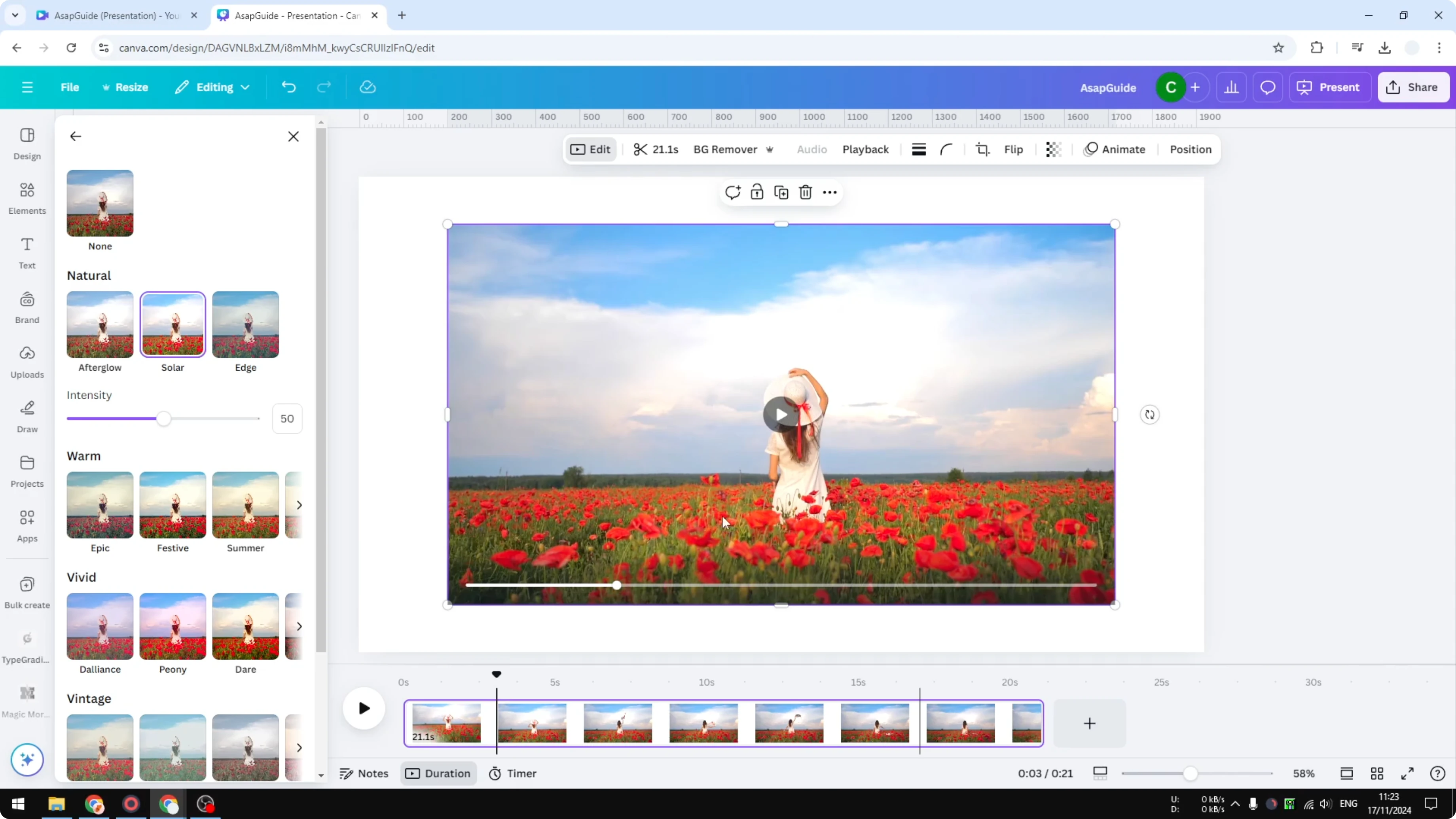
I can increase or reduce the intensity to fine-tune the result. A small adjustment on the slider can keep skin tones natural while still boosting flowers and foliage.
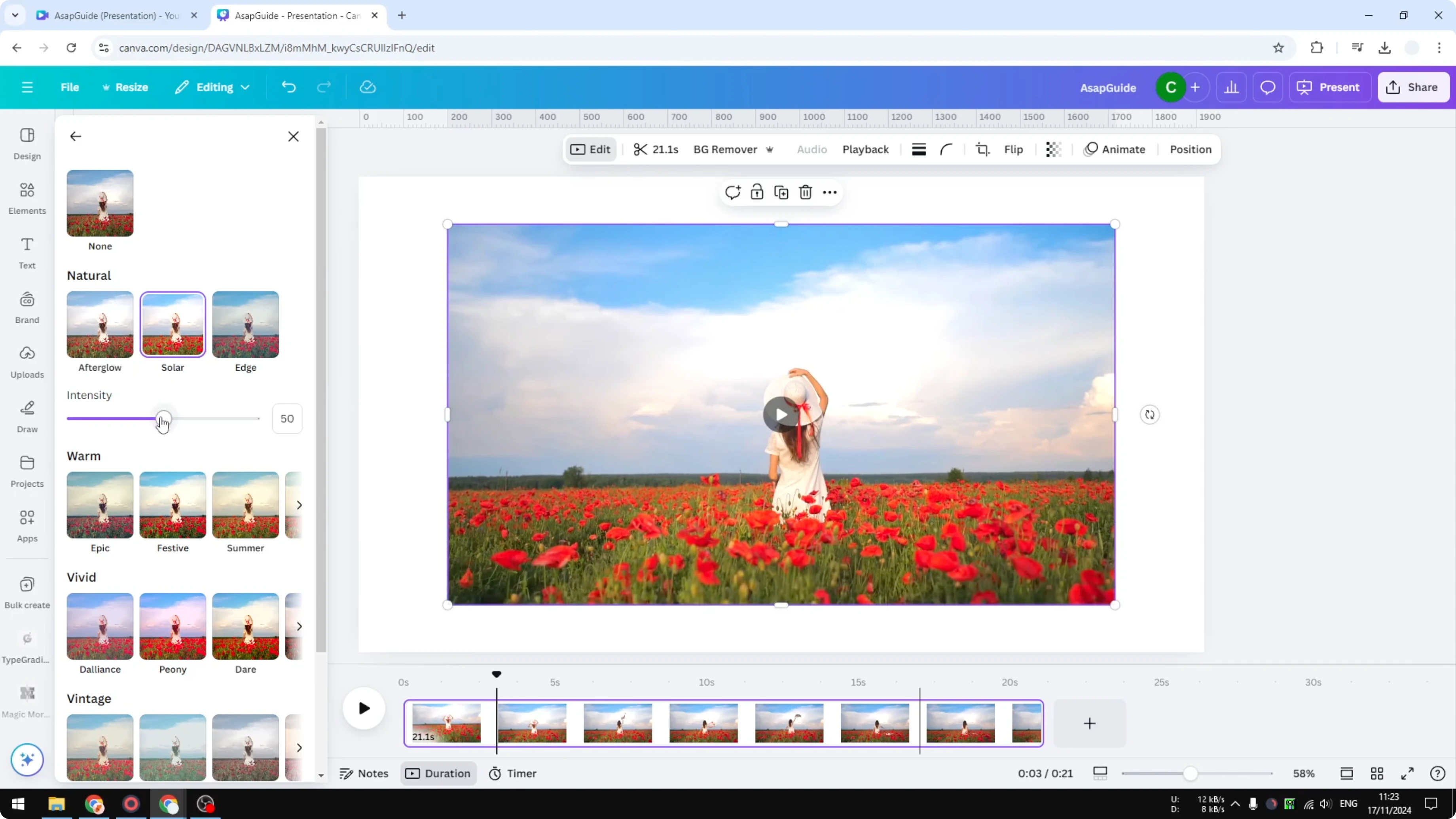
If you want to build more style on top, you can layer textures, frames, or light leaks. Here’s a simple way to do that: add a video overlay in Canva.
Fine control with Adjust - Add Filter to Video in Canva
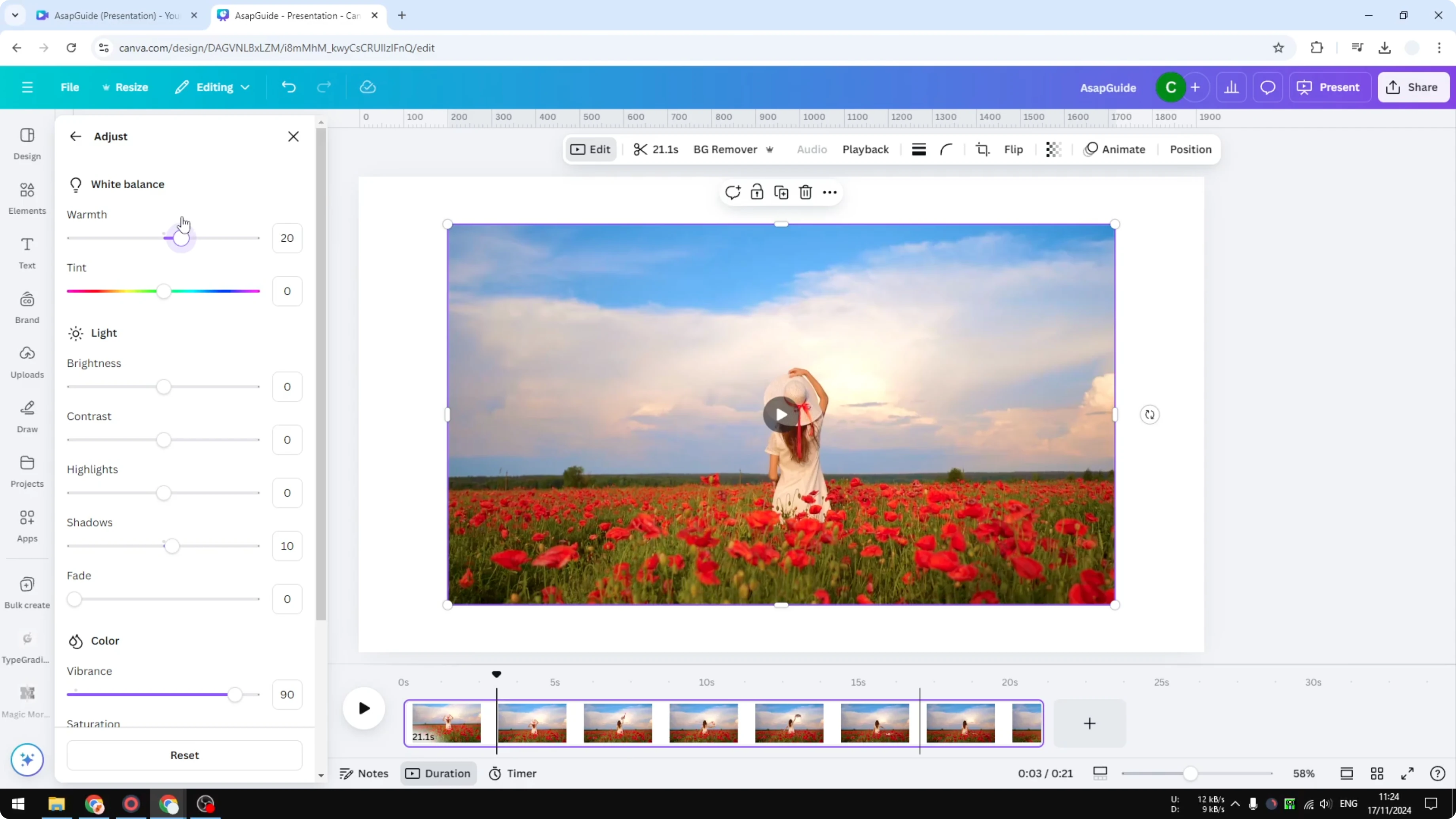
If you want finer control over the scene, use the Adjust panel. It contains many parameters that let you target contrast, color, and tonality. I’m not a master at this, but a few sliders make a big difference.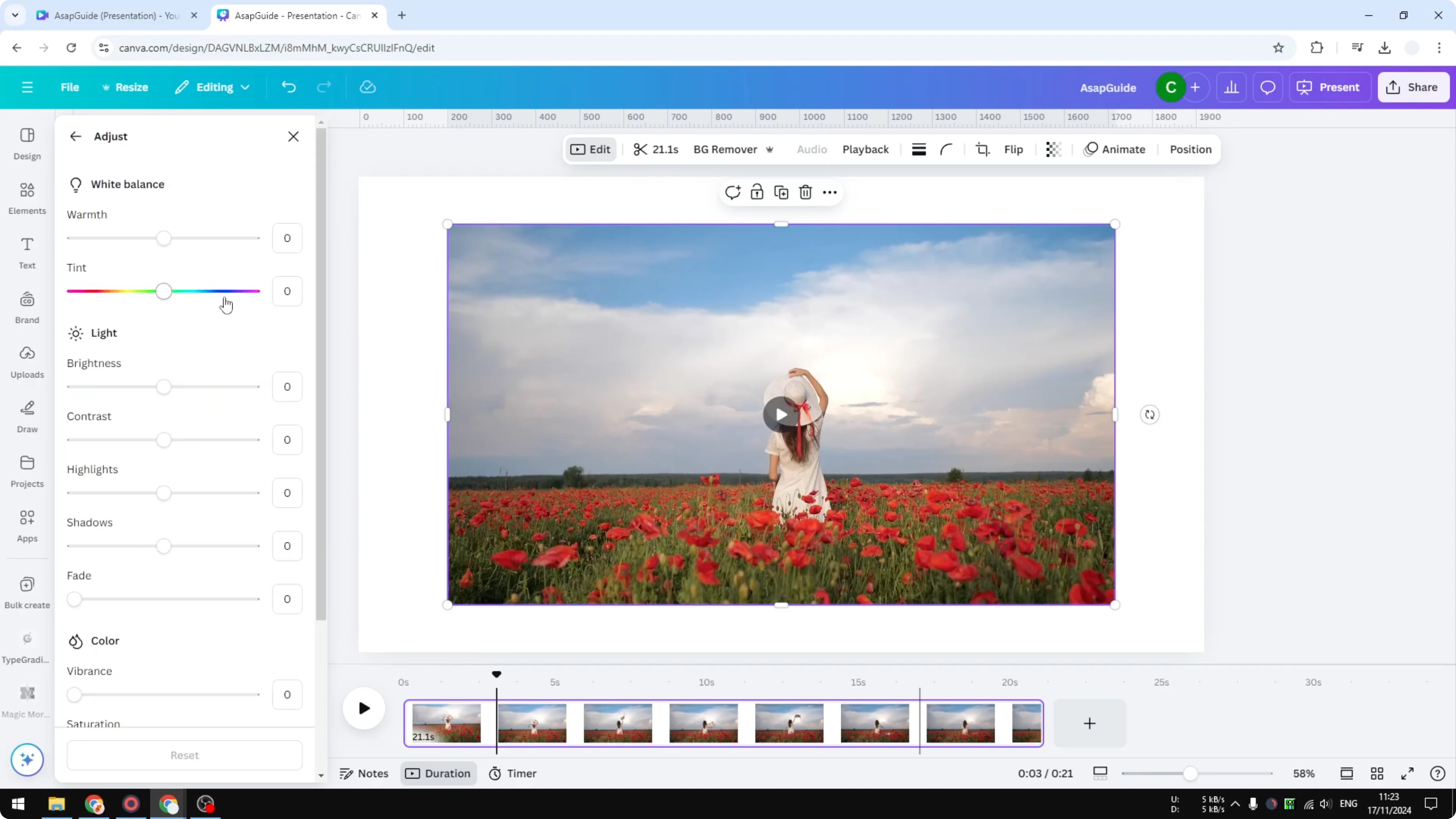
I brighten the dark areas by lifting Shadows slightly. I increase Vibrance, sometimes close to 90, to boost muted colors without wrecking the highlights. Then I increase Saturation a bit so the colors pop.
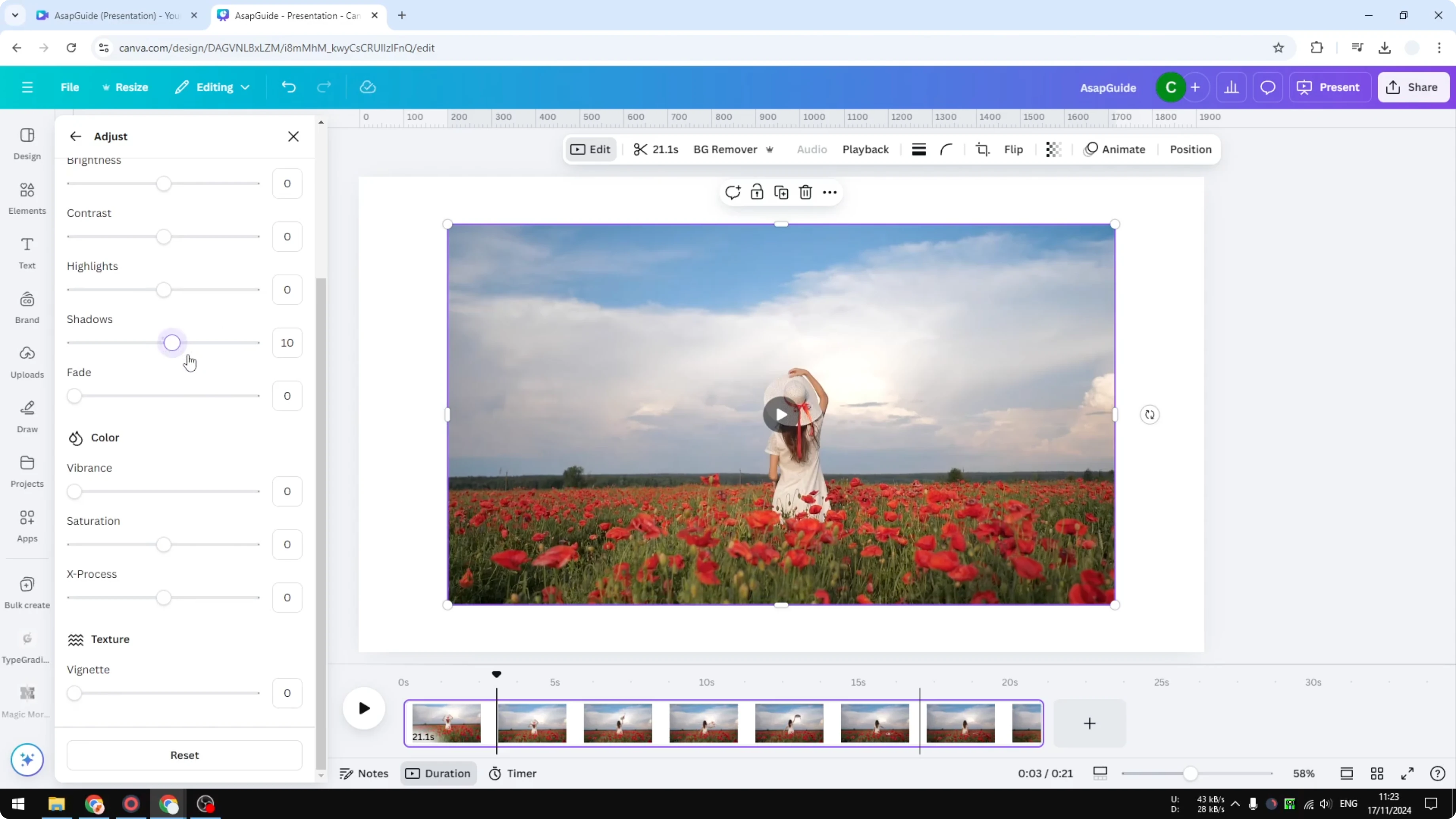
You can add some fade if you like, though I usually skip it for floral videos. Warmth is also very important. I make the video slightly warmer so the scene feels more inviting.
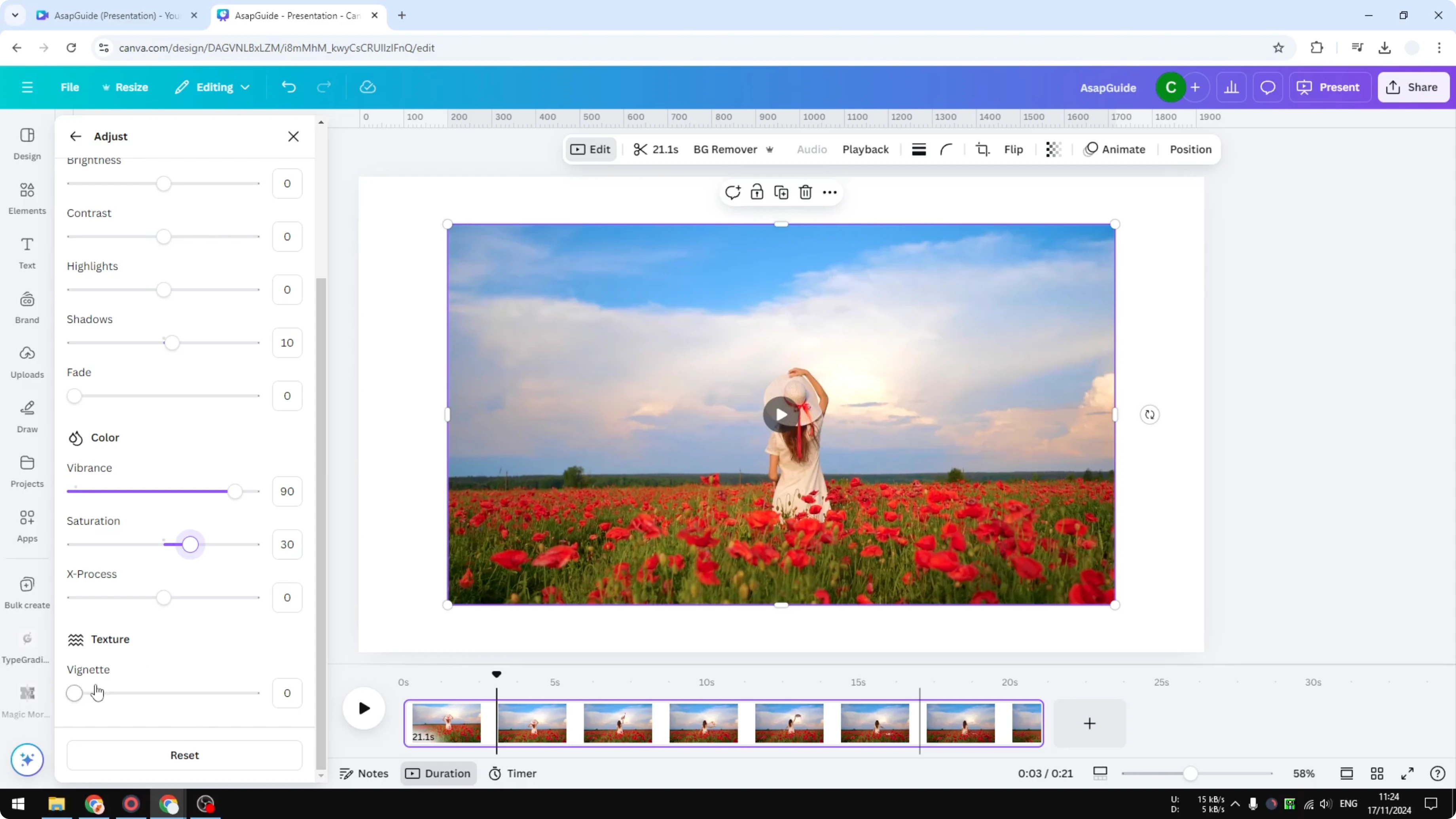
Every video is different, so you can’t just follow my exact numbers. Play around with these sliders and see which combination works best for your footage. Trust your eyes and keep adjustments incremental.
For creative movement between clips after color, try ideas from this guide to a cool video transition in Canva.
Final thoughts - Add Filter to Video in Canva
Filters give you a fast starting point, and the intensity slider helps you dial in the mood. When you need precision, the Adjust panel lets you refine shadows, vibrance, saturation, and warmth to match your scene.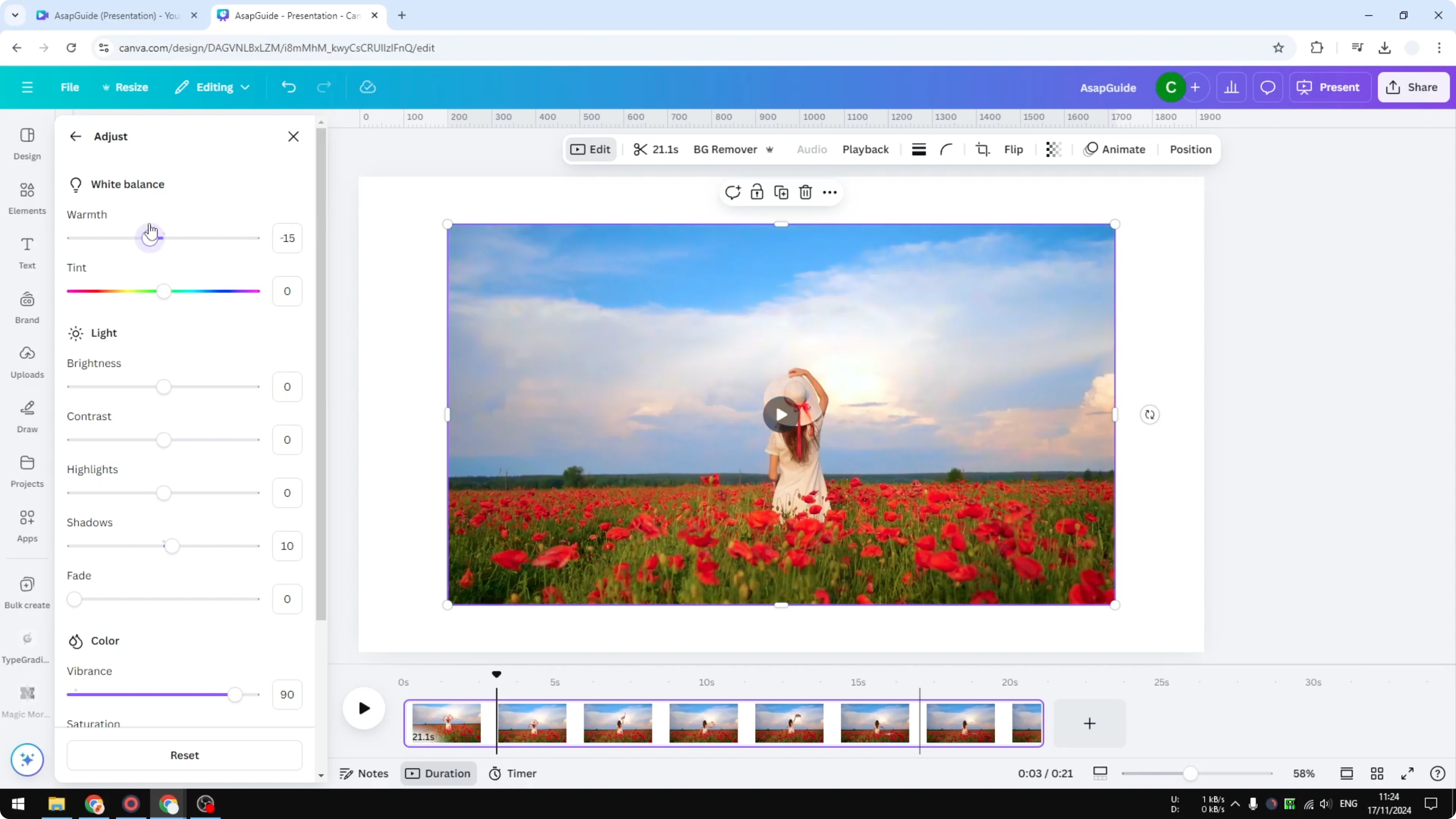
Test a few options, compare before and after, and nudge sliders until it feels right.
Recent Posts

How to Visualize Yourself as a Pixelized Character with AI?
How to Visualize Yourself as a Pixelized Character with AI?

How to Revive Faded Memories and Enhance Image Clarity with AI?
How to Revive Faded Memories and Enhance Image Clarity with AI?

How to Visualize Yourself as an Animal Crossing Character with AI?
How to Visualize Yourself as an Animal Crossing Character with AI?