How to Visualize Yourself as a Fantasy or Sci-Fi Character with AI?
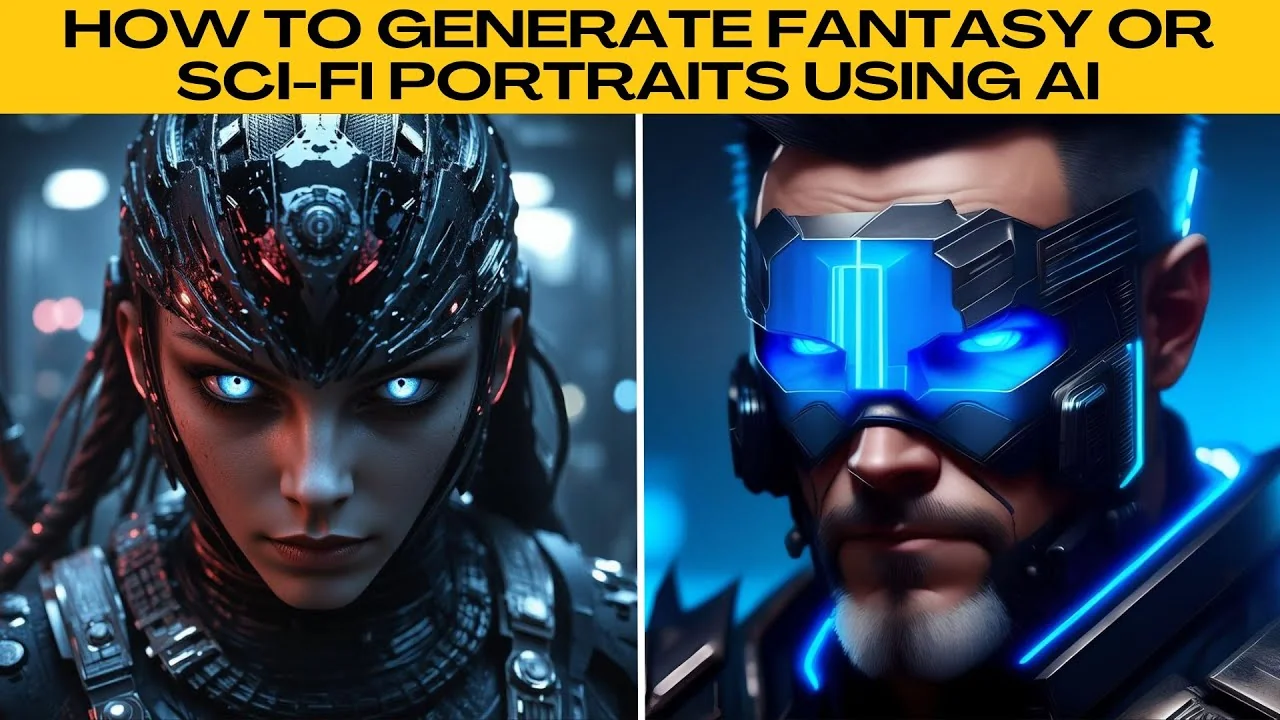
I will teach you how to generate a fantasy or sci fi portrait using AI. Visit Photo AI image generator. You can create from text to image or transform a photo with image to image.
For character tweaks, you can also make yourself look more muscular with AI. This works well if you want a stronger look in your portraits. Use it to complement the style you pick here.
Choose your mode
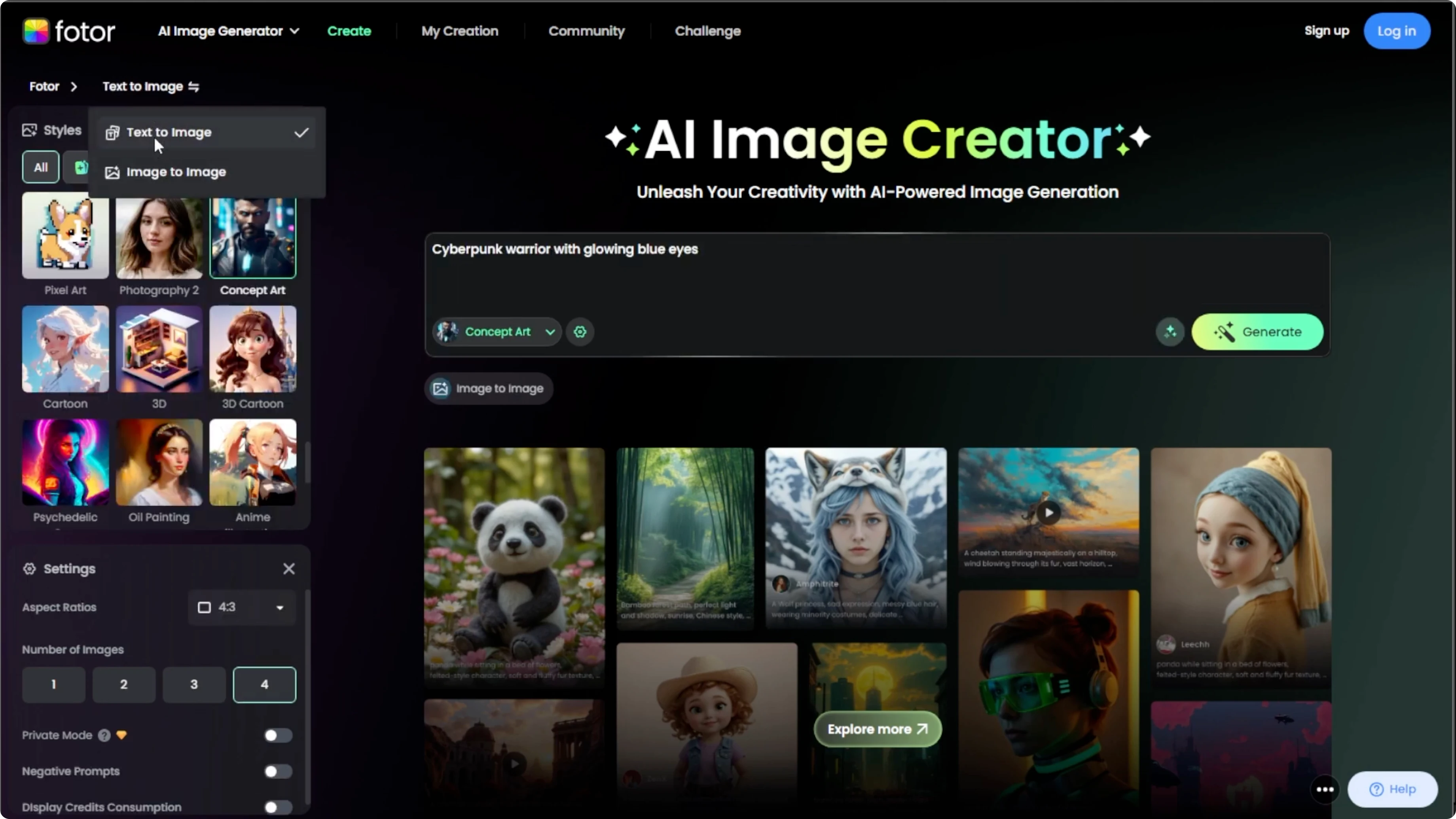
Choose between text to image or image to image. Text to image lets you describe what you want. Image to image lets you upload a photo and turn it into a fantasy or sci fi version.
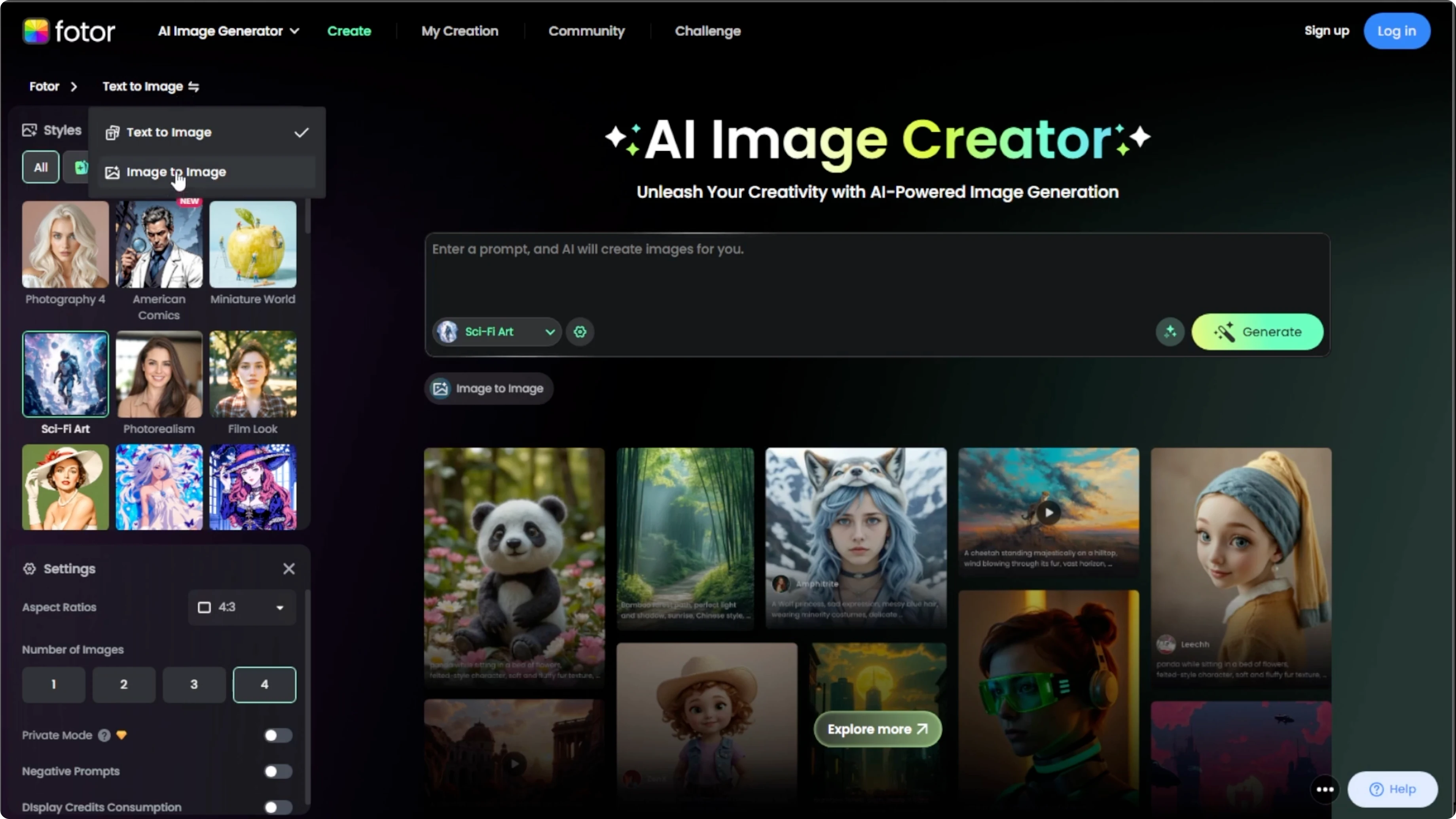
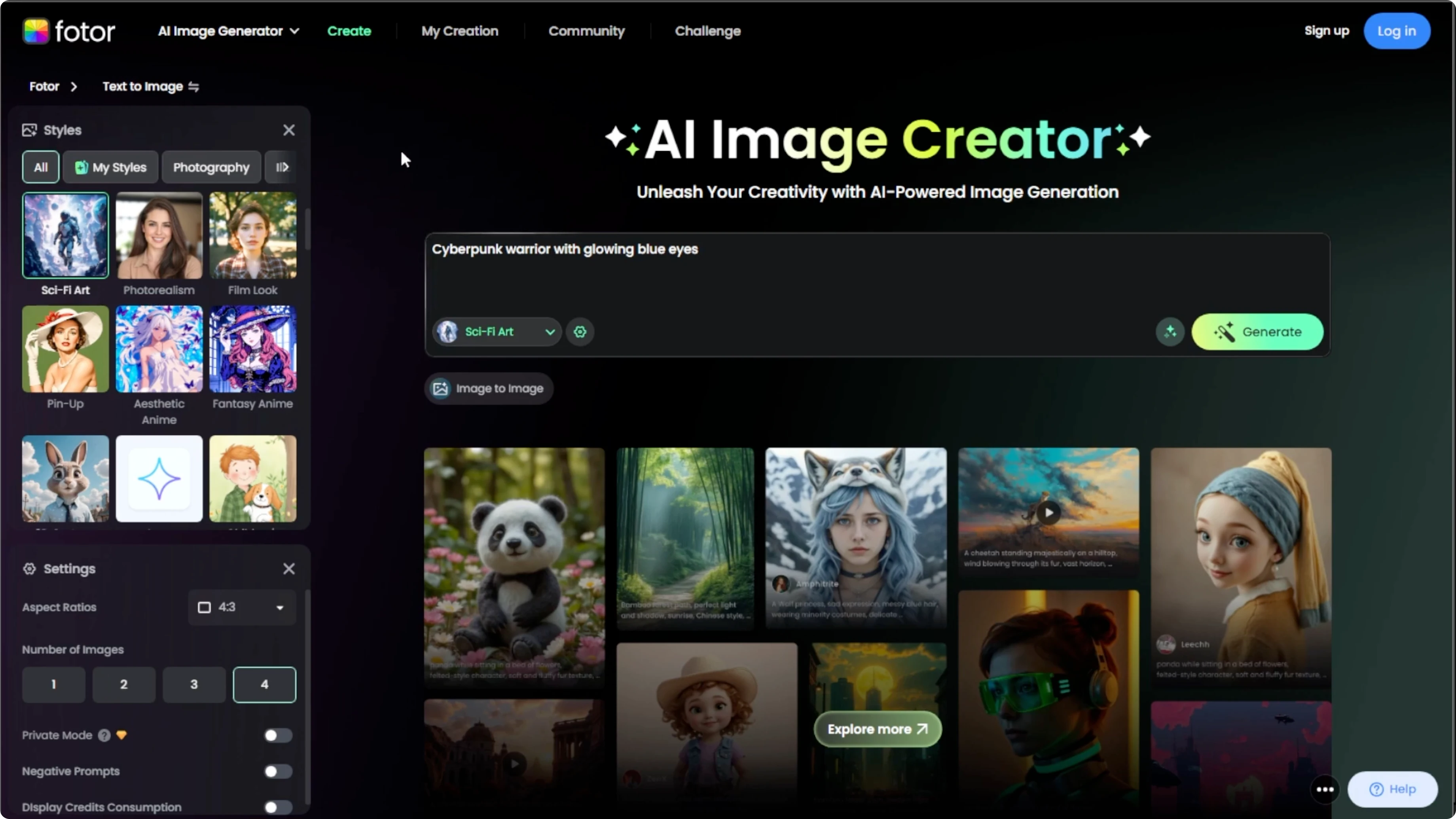
Text to image: type a specific and creative prompt
Image to image: upload a photo of yourself or your subject to transform
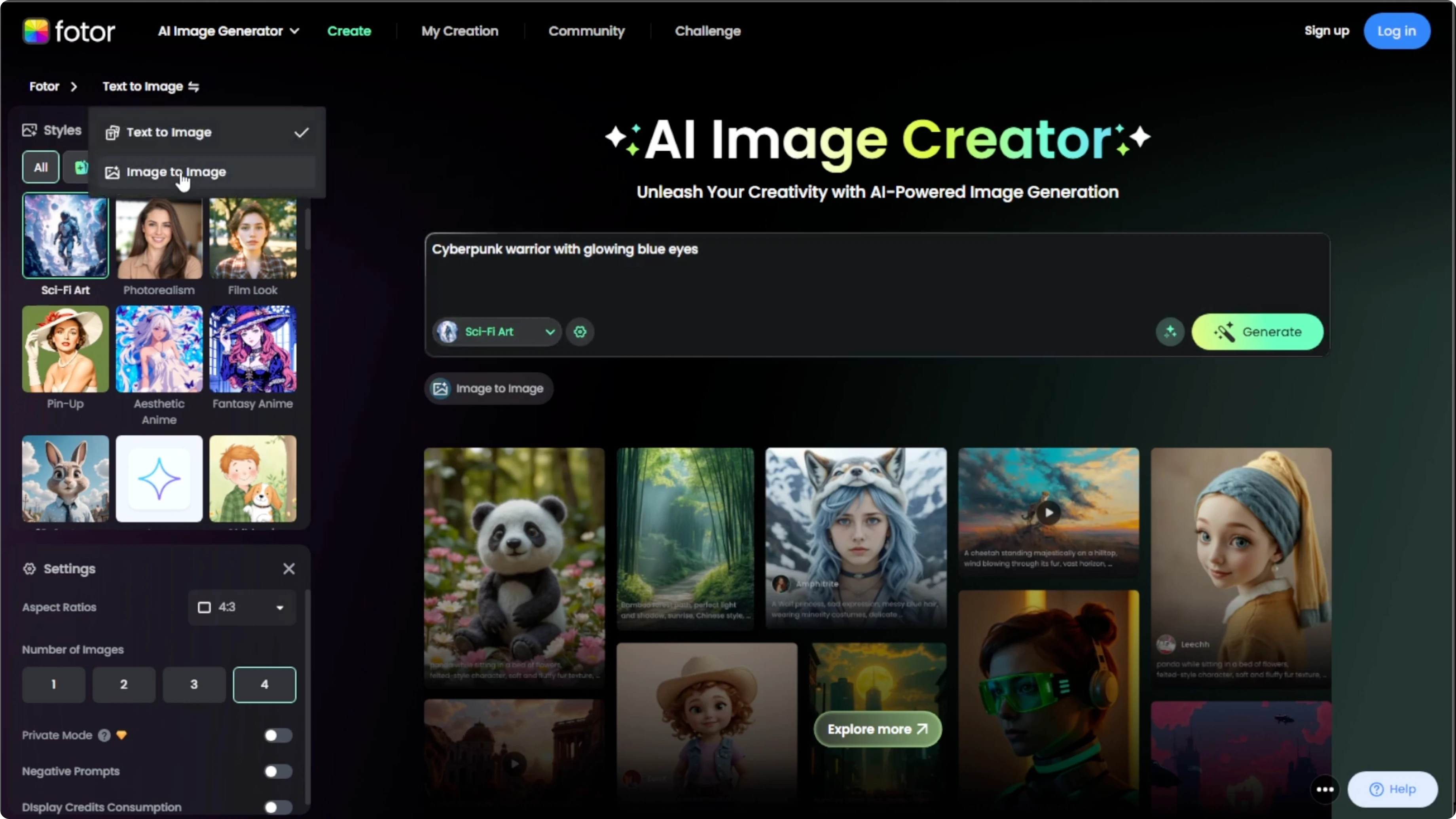
Write or upload
Type a specific and creative prompt if you use text to image. If you use image to image, upload a photo of yourself or your subject to transform. Both modes can produce strong results with the right style.
Pick a style
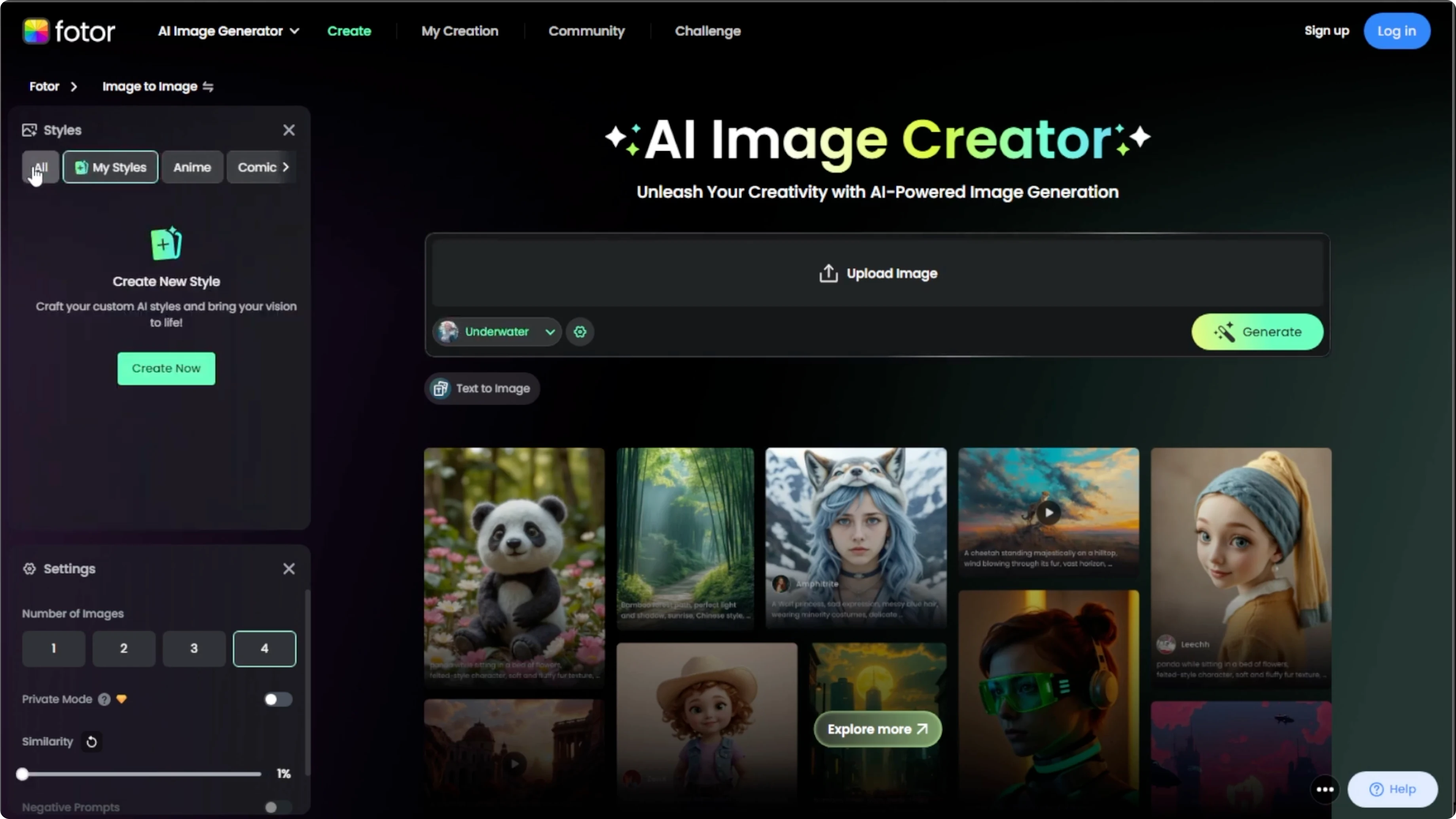
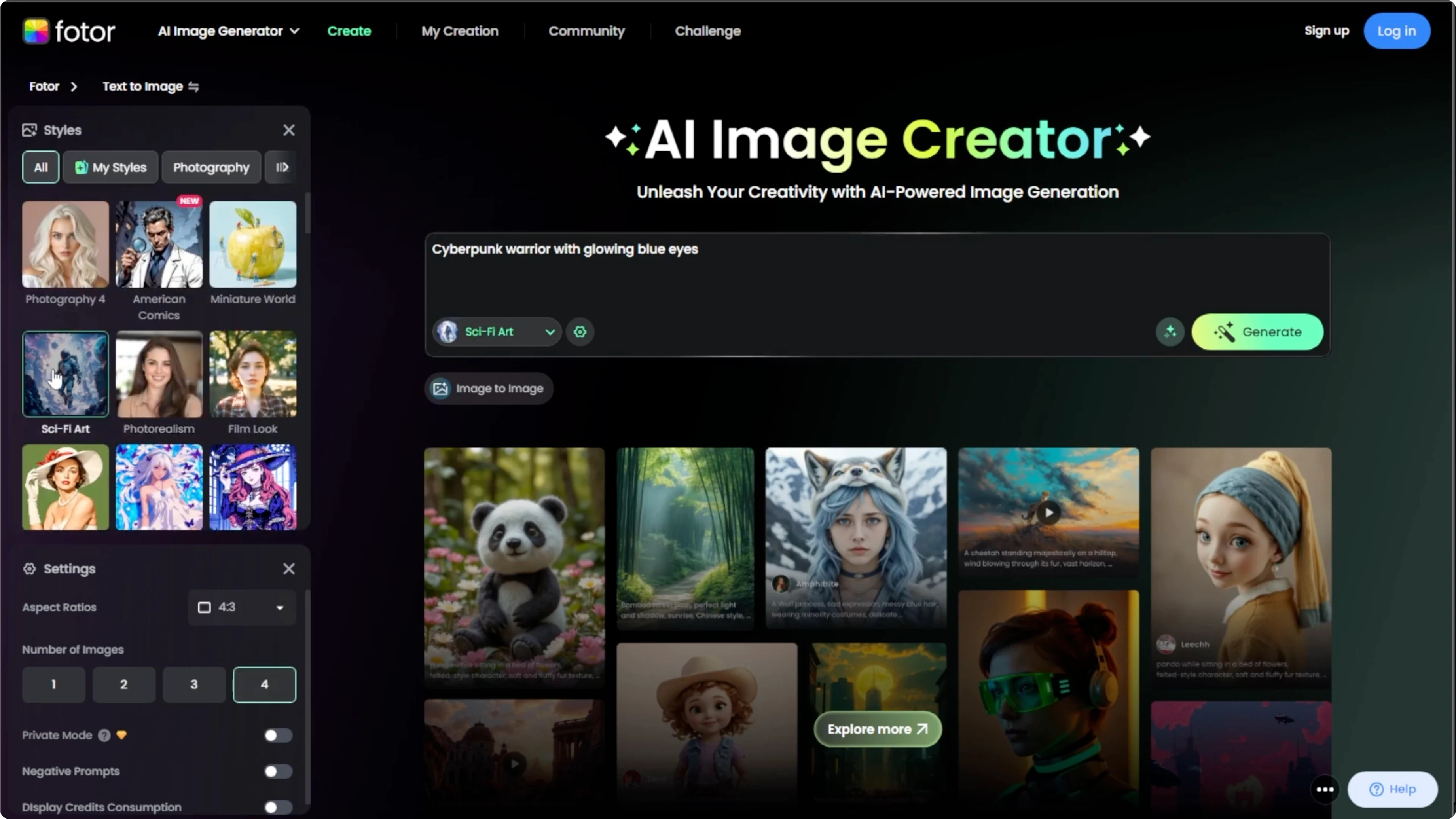
On the left panel, choose a style that matches your theme. For text to image, go to sci fi art or concept art category. For image to image, go to portrait and select either underwater or cyber punk.
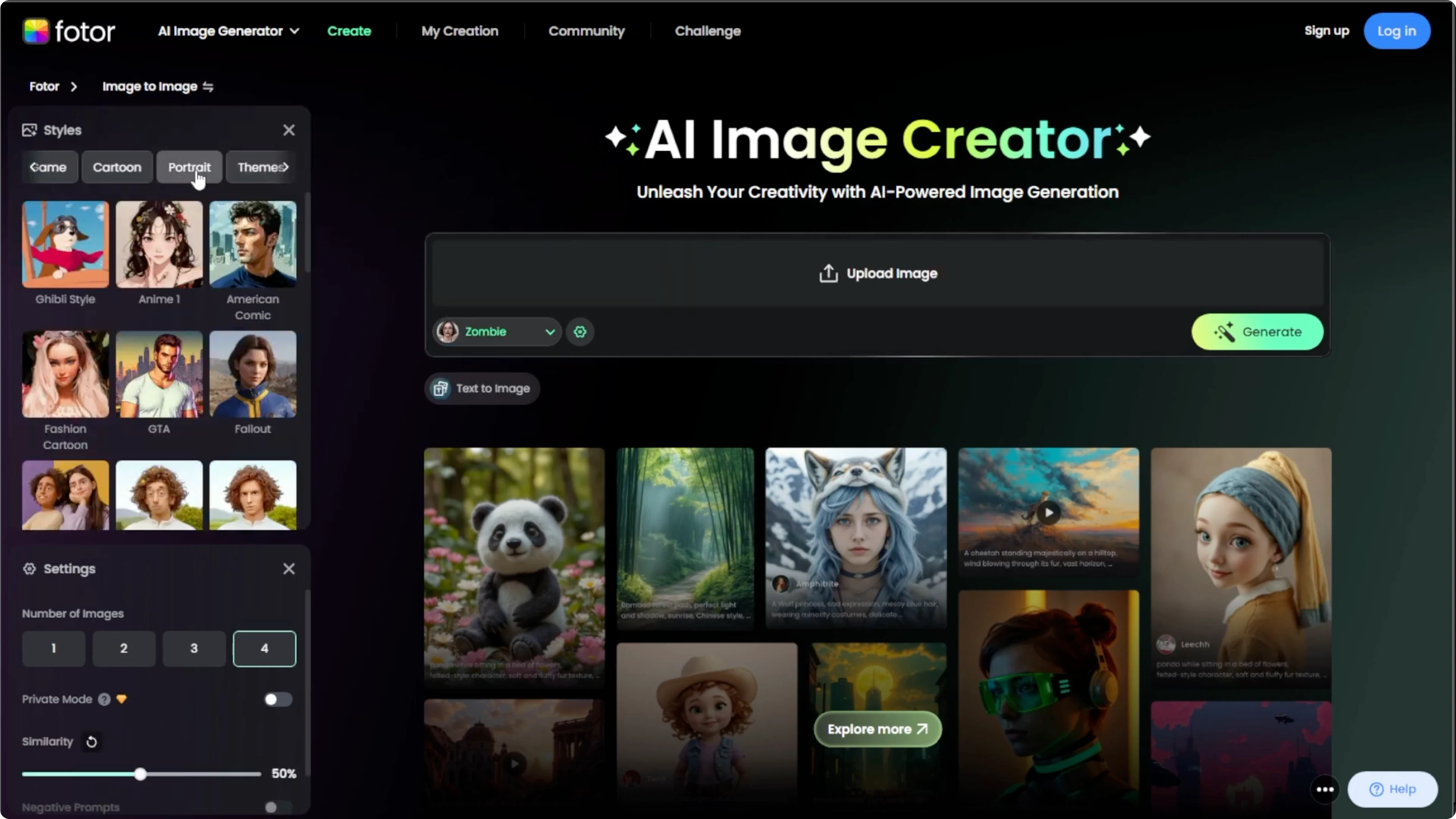
You can also explore all styles for Fallout, fairy tale, zombie, or game art. Try different styles and compare the mood they give your character. To set your scene in iconic places, see how to place yourself at famous locations.
Adjust settings
Click the settings icon. Set the aspect ratio. Choose how similar the output is to your original image.
Decide how many images you want to generate. Preview settings if needed. Keep adjustments simple for fast iteration.
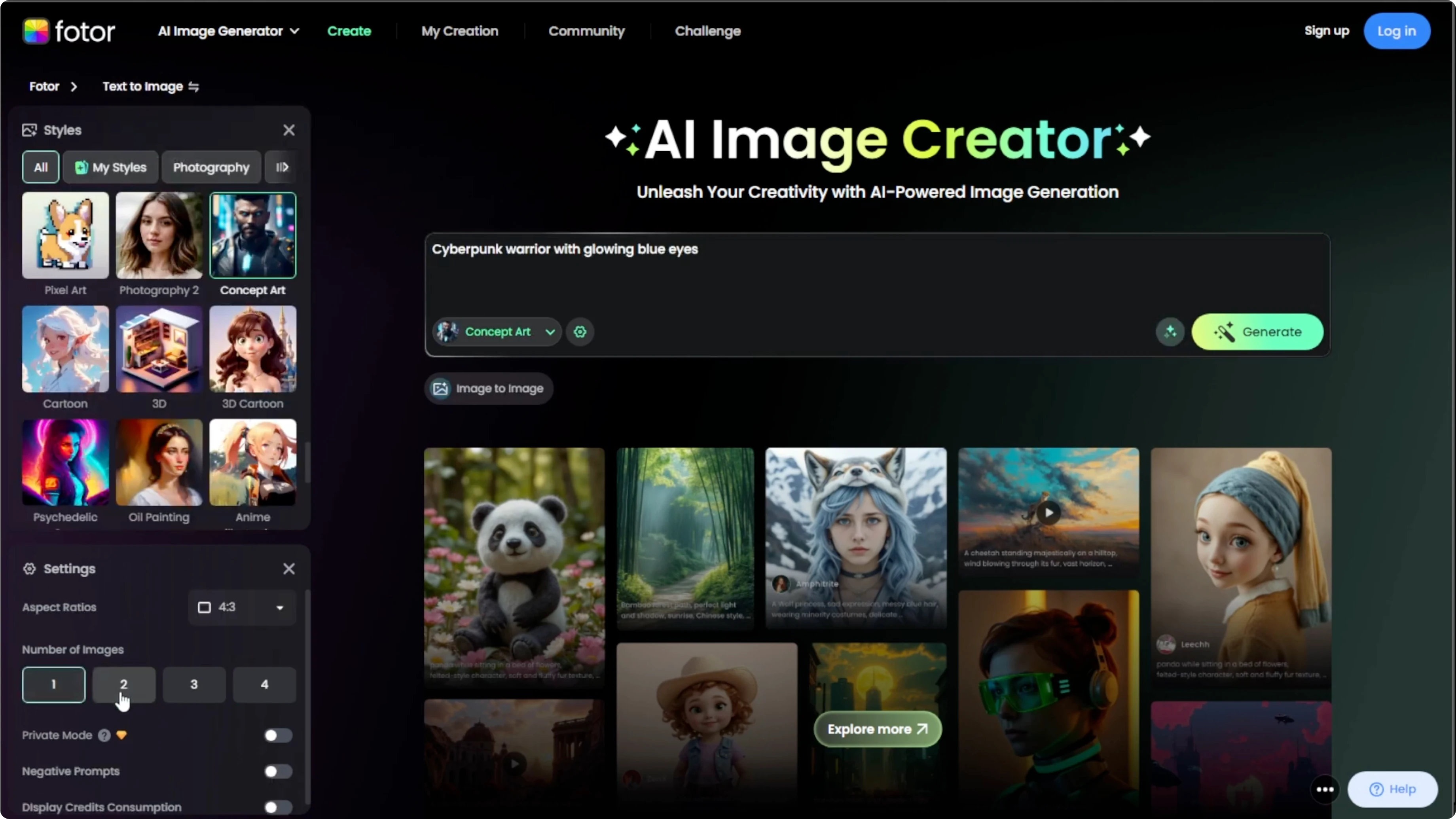
Generate and save
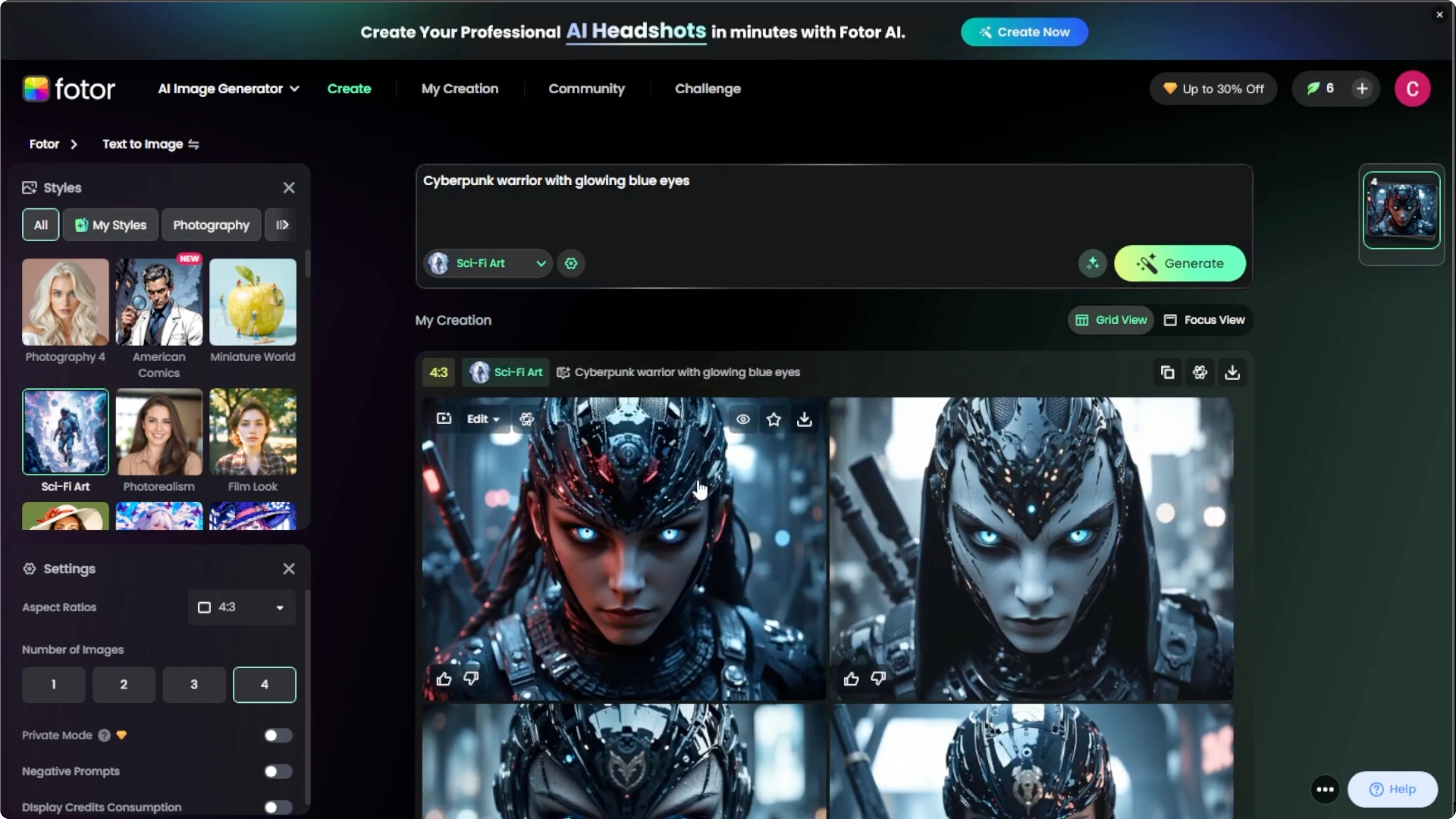
Hit Generate and let the AI do its magic. Processing can take 10 seconds to a minute depending on the prompt complexity. Scroll through the results and pick your favorite.
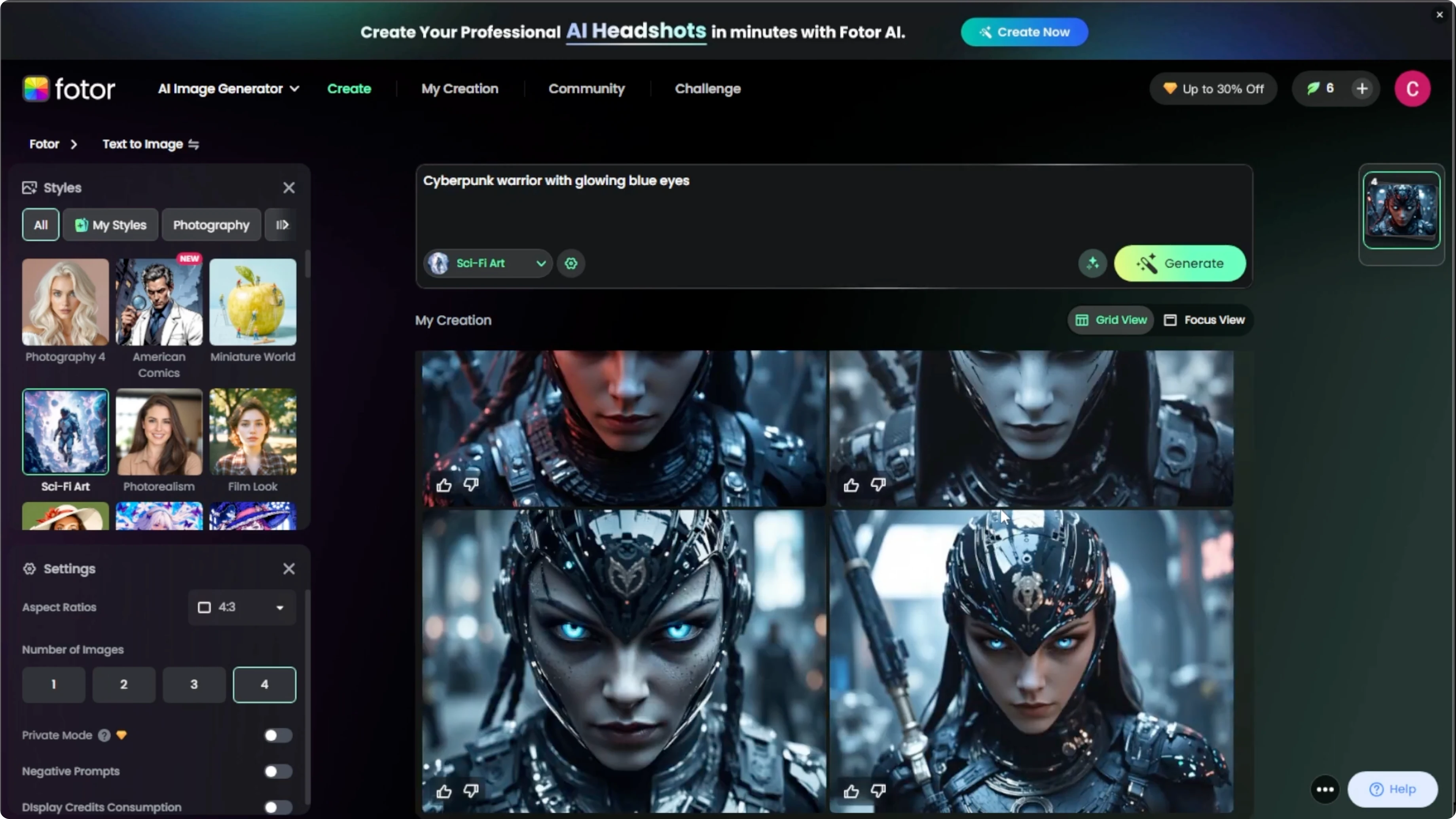
Click Download to save your sci fi or fantasy portrait. Regenerate as many versions as needed. You are done.
If you want a playful look, you can turn yourself into a cartoon. This is a fun alternative to sci fi or fantasy portraits. It pairs nicely with bold color palettes.
Final thoughts
Choose a mode, pick a style, adjust settings, then generate and save. Experiment with different categories and compare the mood they create. Specific prompts and thoughtful style choices produce the best portraits.
Recent Posts

How to Visualize Yourself as a Pixelized Character with AI?
How to Visualize Yourself as a Pixelized Character with AI?

How to Revive Faded Memories and Enhance Image Clarity with AI?
How to Revive Faded Memories and Enhance Image Clarity with AI?

How to Visualize Yourself as an Animal Crossing Character with AI?
How to Visualize Yourself as an Animal Crossing Character with AI?