How to Make Spiral Text in Canva

I’m going to show you how you can create a spiral text effect in Canva. At the moment there isn’t a native tool in Canva that allows a spiral, and there isn’t a third party app for it either. We can mimic the spiral using the Curve effect on text.
We will use a spiral graphic as a guideline. This guide helps position each text segment along the path. Then we will build the spiral one text box at a time.
Make Spiral Text in Canva - Overview
The Curve effect for text in Canva can recreate a spiral if you build it in sections. Each section uses its own curve level, rotation, and position. You will increase the curve as you move toward the center.
Do it slowly and one segment at a time. Do not copy all the text and apply one curve to everything. That will only bend the text but not form a spiral.
Read More: Make Circle Text Canva
Make Spiral Text in Canva - Set the Guide
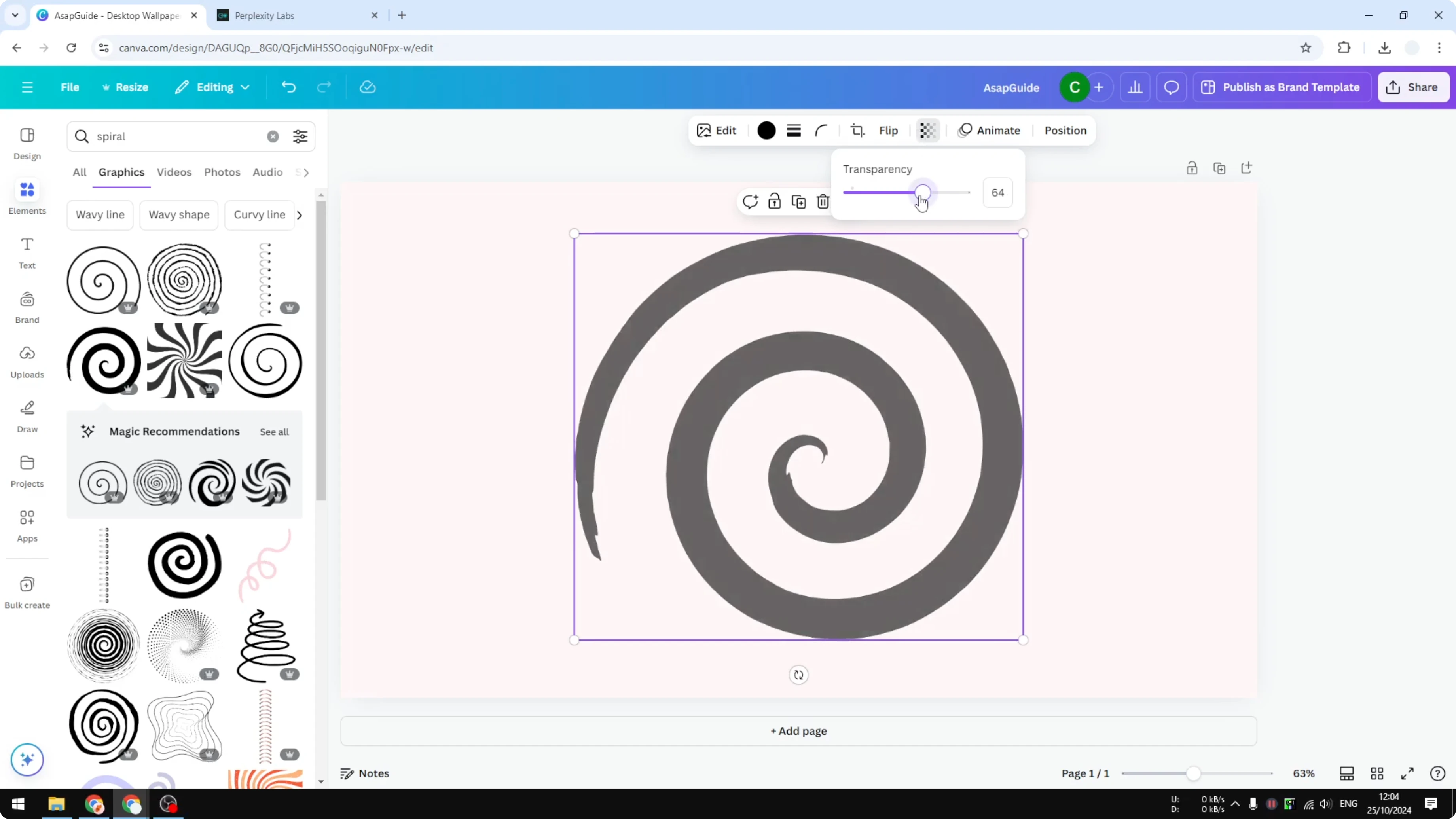
Go to Elements and search for spiral.
Open Graphics and insert a spiral picture as a guideline.
Lower its transparency and place it in the background so you can follow its path.

Make Spiral Text in Canva - First Text Segment
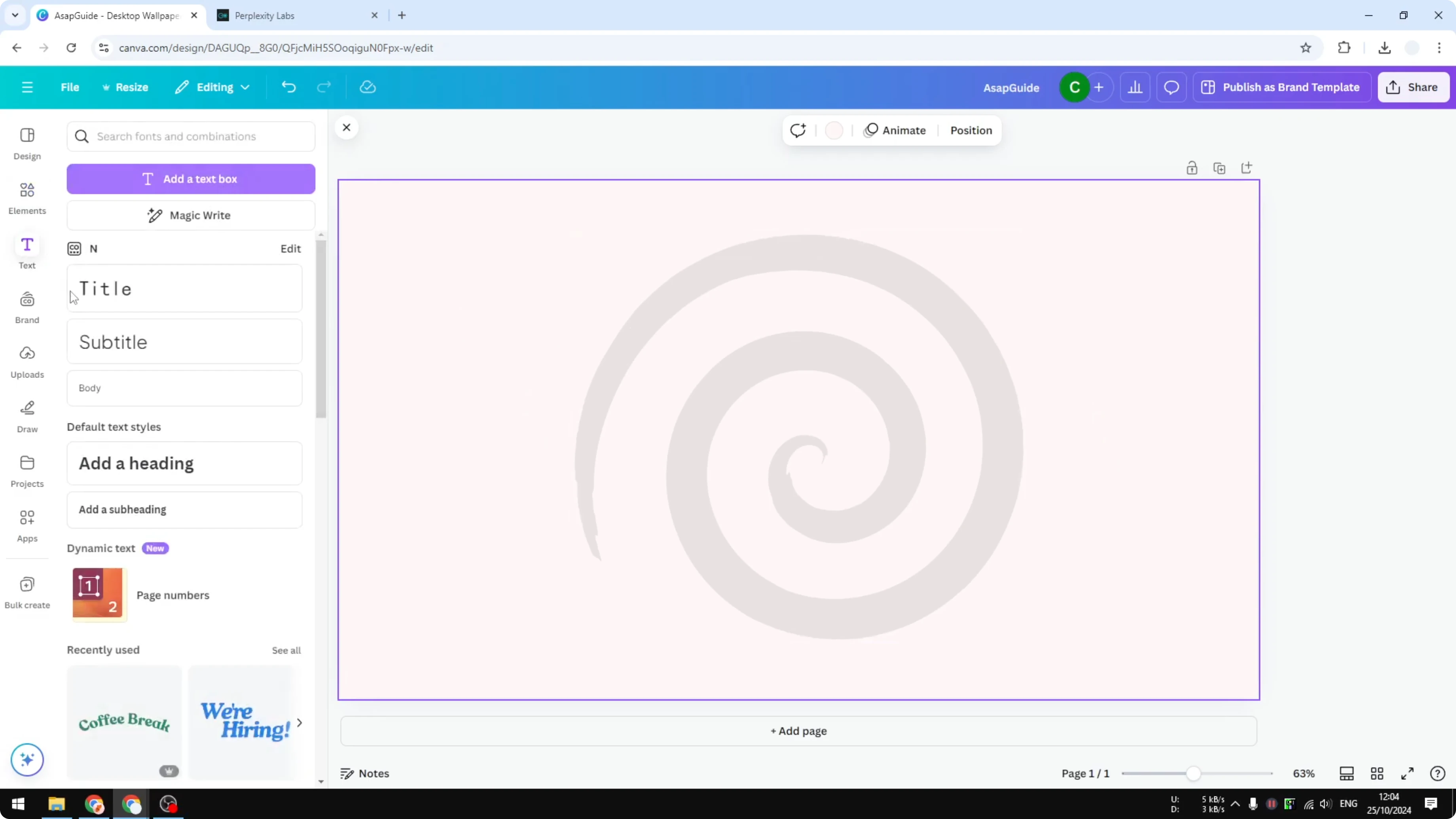
Go to Text and add a body text box.
Paste the first part of your paragraph.
Rotate the text box about 90 degrees and place it near the outer edge of the spiral path.
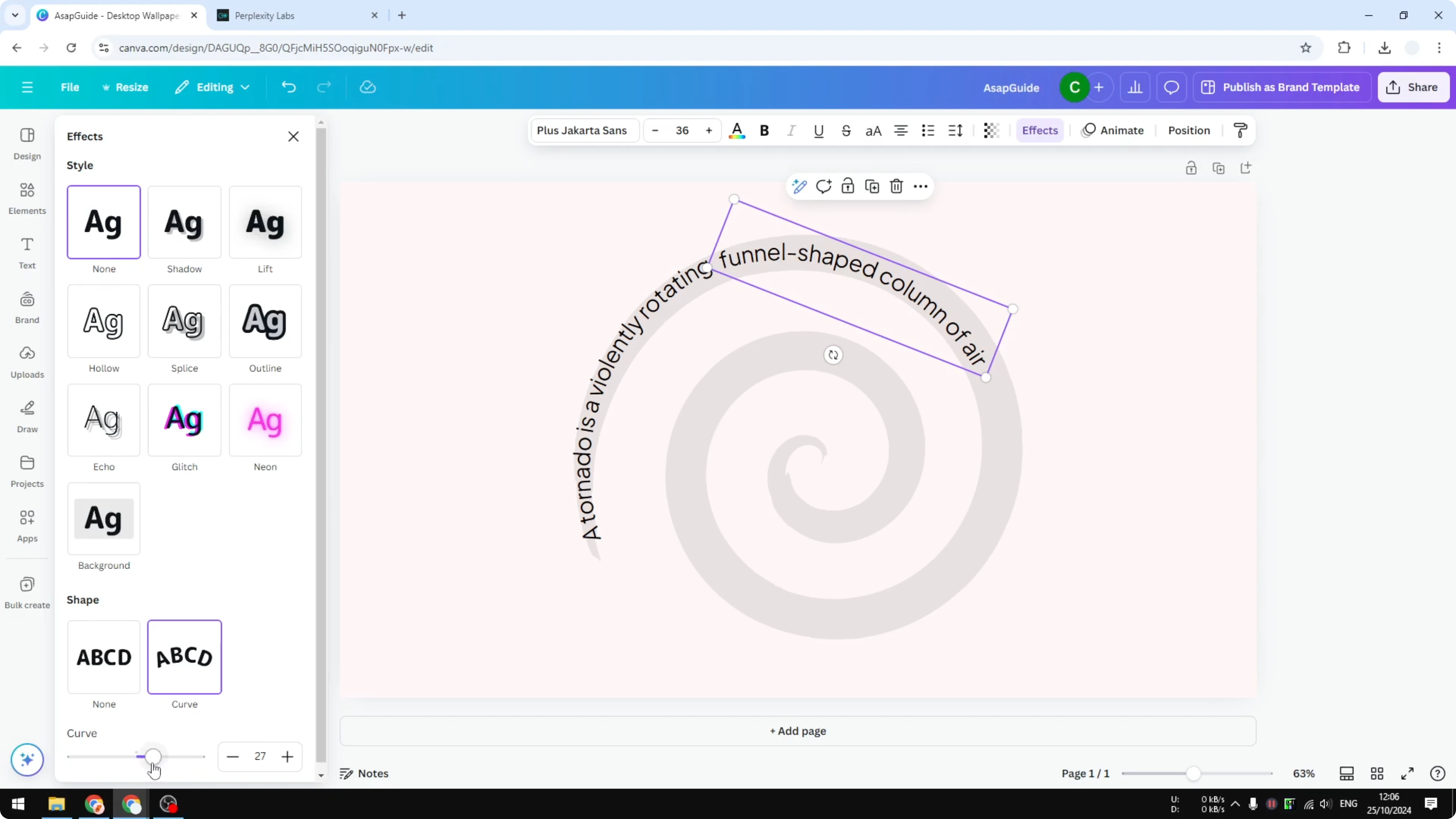
Click Effects and select Curve.
Start with a curve value around 26.
Adjust position, curve, and rotation until the text follows the spiral path.

Read More: Make Text Taller Canva
Make Spiral Text in Canva - Build the Spiral
Duplicate the text box for the next section of your text.
Paste the next portion, rotate it slightly, and place it along the next part of the path.
Open Effects and increase the curve for this new segment to around 29.

Duplicate again for the following section.
Paste, rotate, and position it so it follows the guide.
Increase the curve again, around 31 or 32 as you move closer to the center.
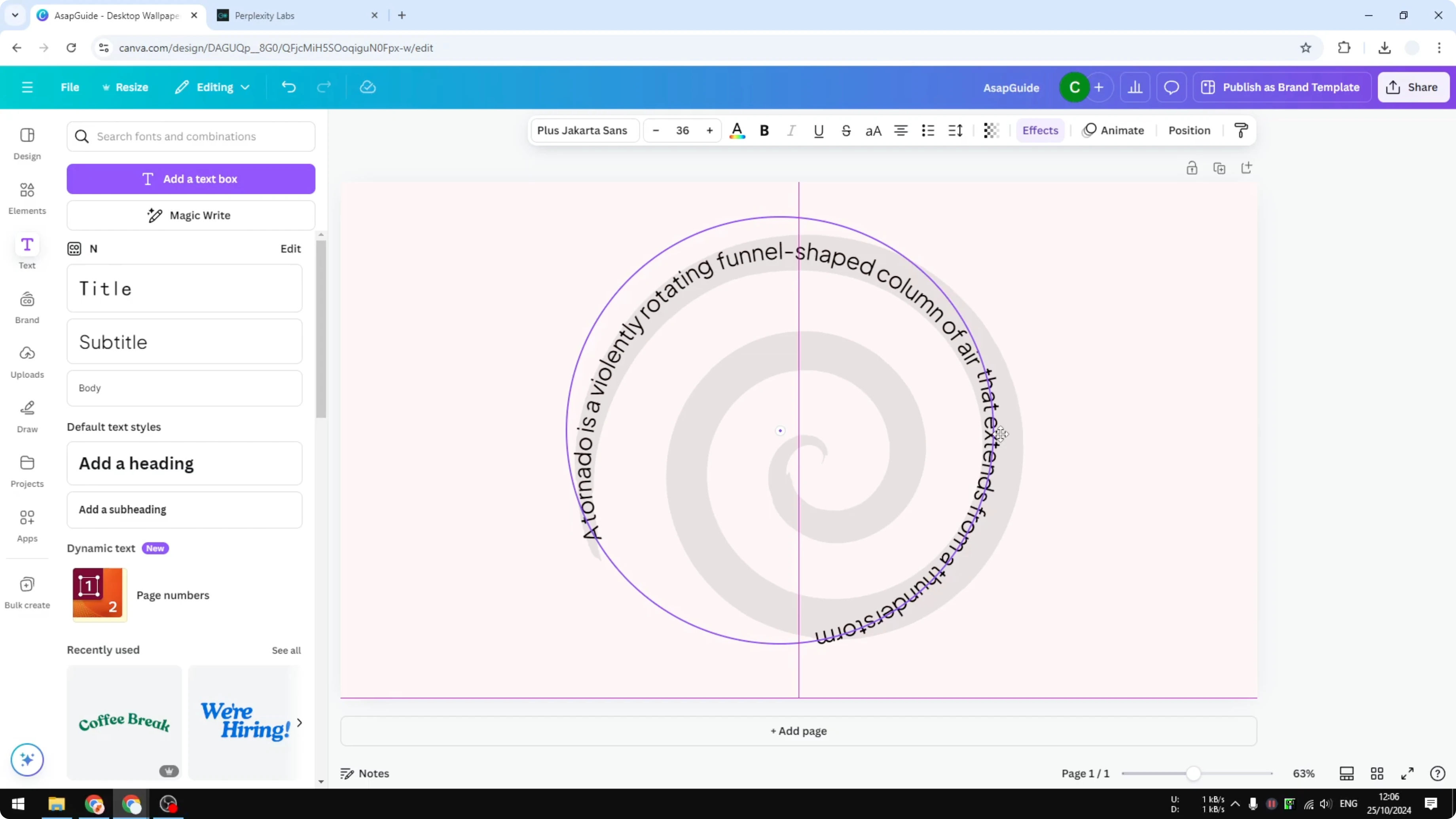
You may need to nudge each text box a few points higher or lower.
Collect your curve numbers carefully so the path stays smooth.
The closer you get to the center, the higher the curve level will need to be.

If a segment is too long for the space, shorten the text for that line.
Keep rotating and adjusting the curve until the segment fits the path.
You should be able to get it right in just a few minutes.
Make Spiral Text in Canva - Finish
Remove the spiral picture in the background.
You will now see your complete spiral text built from curved segments.
It is not perfect, but this is the tool we have right now in Canva without any other program.

Read More: Add Alt Text Picture Canva
Final thoughts
You can make spiral text in Canva by combining multiple curved text boxes. The key is to follow a spiral guide, rotate each segment, and increase the curve as you move inward. It takes a little patience, but the result looks great using only Canva’s built-in features.
Recent Posts

How to Visualize Yourself as a Pixelized Character with AI?
How to Visualize Yourself as a Pixelized Character with AI?

How to Revive Faded Memories and Enhance Image Clarity with AI?
How to Revive Faded Memories and Enhance Image Clarity with AI?

How to Visualize Yourself as an Animal Crossing Character with AI?
How to Visualize Yourself as an Animal Crossing Character with AI?