How to Merge Two Videos into One in Canva
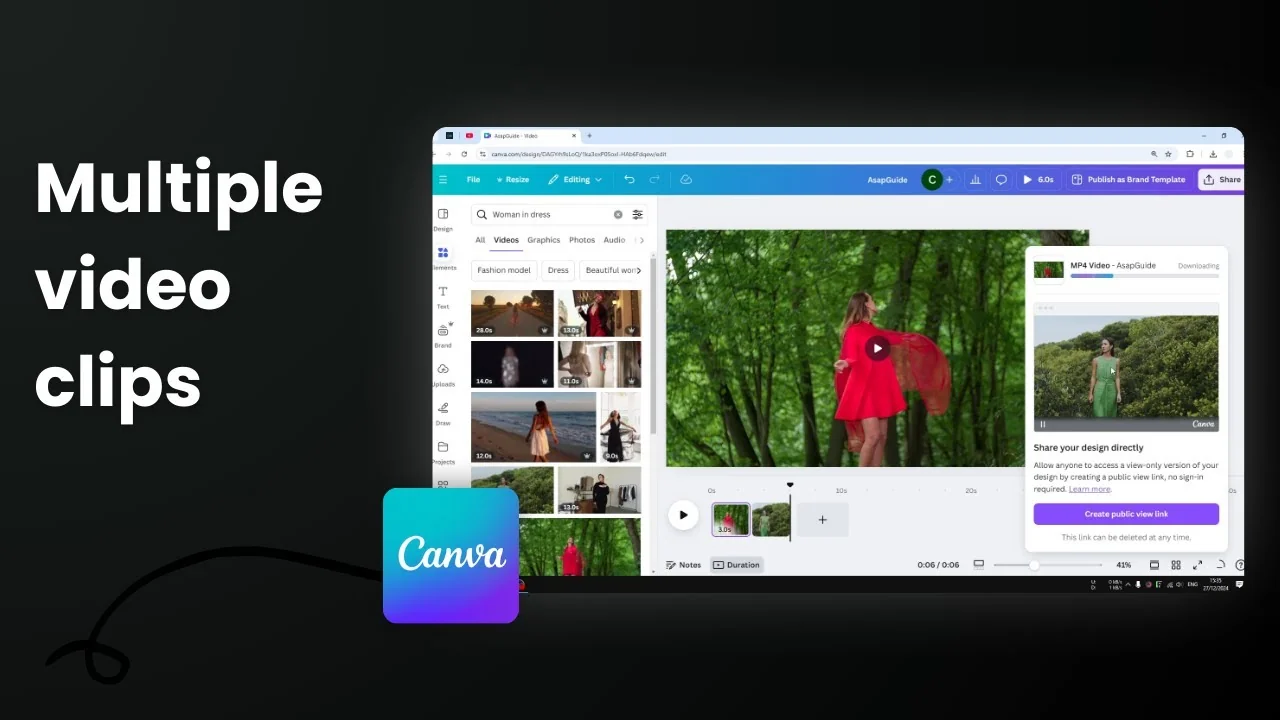
I'm going to show you how you can merge two videos together in Canva. Keep in mind this is for joining two different video clips, not unsplitting. Unsplitting is just one video that's been split into two and then you want to bring them back together. Here, we are merging two completely different videos into a brand new video that contains two clips.
Merge Two Videos into One in Canva
Get your workspace ready
- Enable Thumbnail View. This is very useful if you are making a video with multiple clips.
- Enable Duration so you can see the thumbnail and the length of each clip.

Add your clips
- Go to Elements, or go to the Upload menu if you have videos from your Canva library.
- In this example, I’m using Canva’s stock library. Search for "woman in dress."
- Go to the Video section and pick the first clip. The first clip is a woman in a red dress.
- Add a new page and pick the second clip. The second video is a woman in a green dress.


You can add more pages and add more videos into your video project. This is just the basic way to do it.
Set clip durations
- Reduce the duration of each video. Three seconds for the first clip and three seconds for the second clip works for this example.
- You can tell that you now have two different videos in one project.

Export the merged video
- Click Share, then Download.
- Select MP4 Video.
- Choose the quality. Leaving it at the default setting is fine - 1080p HD for streaming.
- Make sure All pages are selected, or select only the pages that contain the clips you want to merge.
- Do not check the option to download pages as separate files. You want one video that contains both clips.
- Click Download and wait for the render to finish.


Preview and render time
- In the preview, you can tell that two videos are being merged together.
- Short videos usually take a few seconds to render. Longer videos can take minutes.

Result
- The first three seconds show the woman in red.
- After that, you see the woman in green.


Final Thoughts
Merging two clips in Canva is straightforward: set up your timeline with Thumbnail View and Duration, add each clip on its own page, set the lengths, then export as a single MP4 without separating pages. This gives you one clean video that contains both clips.
Recent Posts

How to Visualize Yourself as a Pixelized Character with AI?
How to Visualize Yourself as a Pixelized Character with AI?

How to Revive Faded Memories and Enhance Image Clarity with AI?
How to Revive Faded Memories and Enhance Image Clarity with AI?

How to Visualize Yourself as an Animal Crossing Character with AI?
How to Visualize Yourself as an Animal Crossing Character with AI?