How to Add Realistic AI Voice to Video Canva
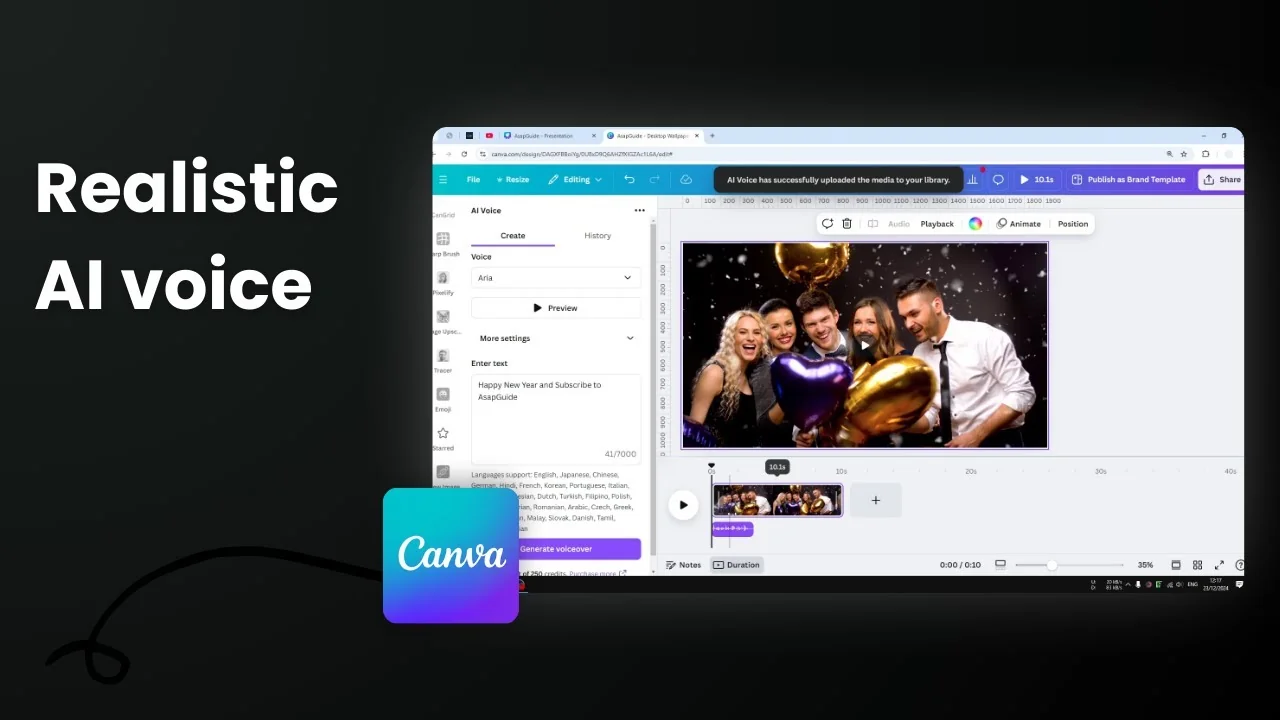
I'm going to show you how you can add an AI voice into your Canva design, your Canva presentation, or your Canva video. Canva has an AI audio feature that lets you turn text into voice, but I rely on a third-party app to get that feature.
Here's how you can insert an AI voice into your Canva document.
Add Realistic AI Voice to Video Canva: Step-by-Step
- Navigate to the Apps menu.
- Search for an app called AI Voice. You'll see plenty of different options. I haven't tried all of them, but the one I've been using quite consistently and is free is the one called AI Voice with the microphone logo.
- Click the Open button to install. This app connects to your Canva account.
- Select the voice type you want to use. They have plenty of options. Try the default one, Aria. This is a female American accent, middle age, expressive, and good for social media and promotion.
- You can preview the audio by clicking on the preview button. It plays a sample line: There is no greater harm than that of time wasted.
- There are more settings, but if you don't know what they mean, just skip them.
- Write your text in the provided field.
- I believe they're using the technology behind ElevenLabs. From the settings alone this is very similar to 11 Labs, so the audio quality is really good and very realistic.
- Click Generate Voice Over.
- Remember there is a 250 credits limit. You might want to purchase more if you need them, or just enjoy the free credits.
- Wait until it finishes. When it's done, it immediately inserts the audio into your document.
- You can see it by going to the timeline view and opening Duration. You will see the audio file there.
- Play the audio. I think it's pretty good. It's not robotic at all. It's definitely better than the TikTok female robot we probably have heard before. This is significantly better and I really like the result.


Add Realistic AI Voice to Video Canva: Why This Helps


- It lets you pronounce something that is difficult.
- It helps when there's nobody around who can speak a specific language.
- The voices are realistic and expressive, which works well for social media and promotion.
Final Thoughts on Add Realistic AI Voice to Video Canva
That's how you can insert a text to speech AI audio into your Canva design. Use the AI Voice app inside Canva, pick a voice, enter your text, generate the voice over, and the audio drops right onto your timeline with solid quality and a reasonable free credit limit.


Recent Posts

How to Visualize Yourself as a Pixelized Character with AI?
How to Visualize Yourself as a Pixelized Character with AI?

How to Revive Faded Memories and Enhance Image Clarity with AI?
How to Revive Faded Memories and Enhance Image Clarity with AI?

How to Visualize Yourself as an Animal Crossing Character with AI?
How to Visualize Yourself as an Animal Crossing Character with AI?